Meta Ads MCP: manage ads from Claude and ChatGPT
By Matheus Mello, founder of Ads Editor and owner of YEP Agência · Published · 8 min read
A Meta Ads MCP server lets Claude, ChatGPT, Codex or Cursor read your campaign metrics and, depending on the server, change campaigns while you talk to it. The options differ in the one thing that matters most: which platforms they cover and whether they can write to the account or only read.
Quick answer
An ads MCP server lets Claude, ChatGPT, Codex or Cursor read metrics and, in some cases, change campaigns through conversation. Meta's official connector covers only Meta; Google's official server only reads. The Ads Editor MCP reads and changes both Meta Ads and Google Ads. Start with read-only questions before asking for changes.
Summary
- MCP is the open standard that lets AI assistants call external tools, such as list campaigns or update budget.
- Meta's ads AI connectors entered open beta on April 29, 2026; they cover Meta only.
- Google's open source Google Ads MCP server is read-only, with three tools, and runs on your own Google Cloud credentials.
- The Ads Editor MCP has 212 tools across Meta Ads and Google Ads, with a fixed budget ceiling on the server.
- Ten ready prompts below, with the tools each one triggers.
What is an ads MCP server?
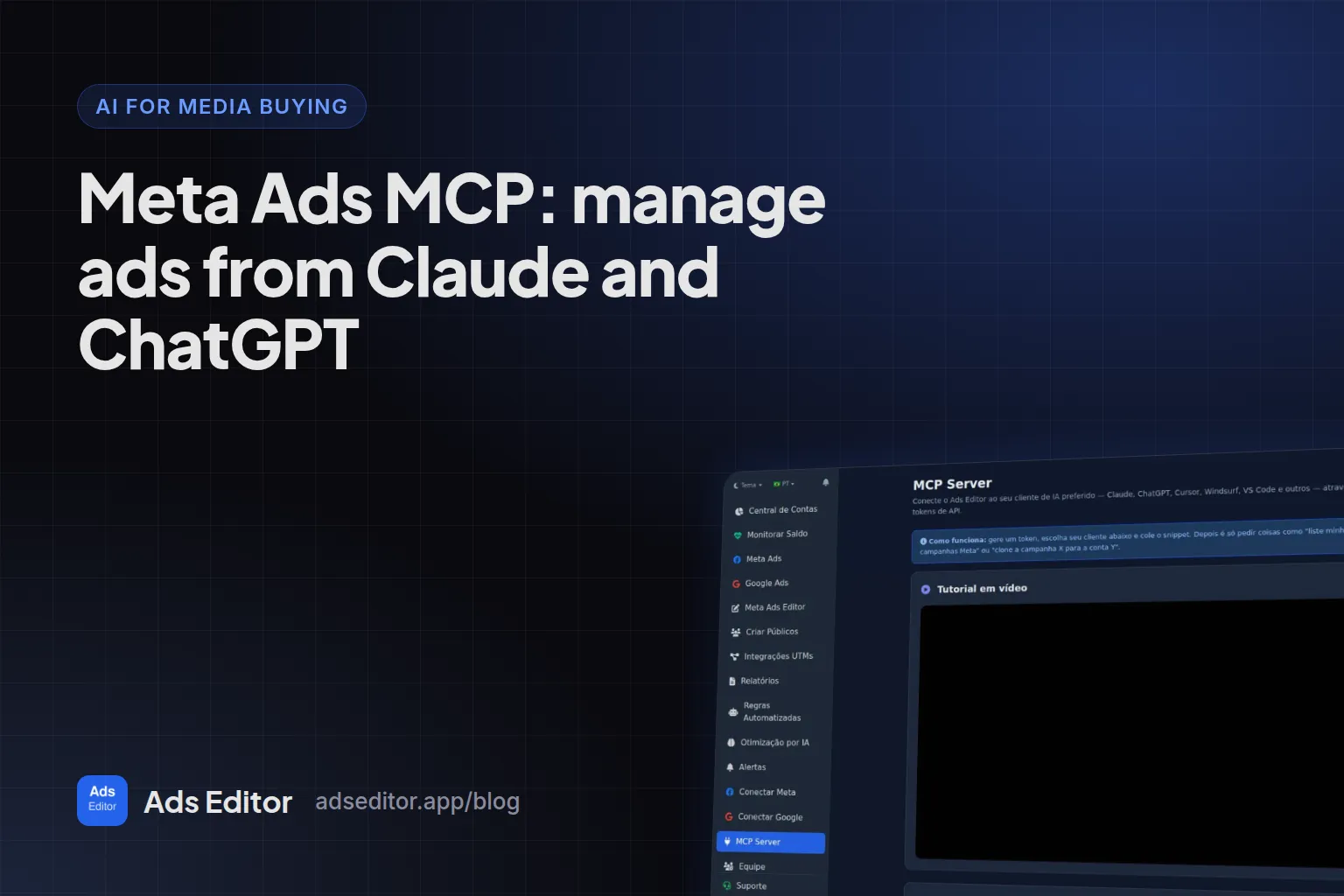
The Model Context Protocol is an open source standard for connecting AI applications, such as Claude and ChatGPT, to external systems. An ads MCP server publishes tools (list campaigns, change a budget, pause an ad) that the assistant calls when you ask in plain language.
Which ads MCP servers exist, and which ones only read?
On April 29, 2026, Meta announced its ads AI connectors in open beta, to create, manage and analyze campaigns directly in the AI tools advertisers already use, powered by Meta's ads MCP server and command line interface. It is good news for the market and a valid option if you only run Meta.
Google took another route: on October 7, 2025 it released an open source Google Ads API MCP server, and the initial release is read-only, for reporting and diagnostics. In the repository, checked on September 23, 2026, there are three tools: search, get_resource_metadata and list_accessible_customers. To use it, you run the server in Python, create a Google Cloud project, enable the Google Ads API and configure your own credentials. It is a tool for people who code.
| MCP | Platforms | Reads | Changes campaigns | Best for |
|---|---|---|---|---|
| Meta's official connector | Meta only | Yes | Yes | Meta-only advertisers who want the official route |
| Google's official Google Ads MCP | Google Ads only | Yes, 3 tools | No | Developers who want to query Google data |
| Ads Editor MCP | Meta Ads and Google Ads | Yes | Yes, with a budget ceiling on the server | Media buyers and agencies running both platforms |
Other third-party MCP servers also claim to cover Meta and Google with write access. When you compare them, look past the tool count: who can reach which account, whether budget changes have a hard ceiling on the server, and whether every action is logged.
Read-only is not a flaw: it is the safest option if you want an analyst, not an operator. What changes is the work left over. With a read-only MCP, the AI tells you which budget to raise and you open Ads Manager to raise it. With an MCP that writes, you confirm and it raises it. The choice is how much of the operation you want to delegate.
Meta's official connector or the Ads Editor MCP?
| Feature | Meta's official connector | Ads Editor MCP |
|---|---|---|
| Meta Ads | Yes | Yes |
| Google Ads | No | Yes, including Performance Max, negatives and assets |
| Sales by UTM from checkout webhooks | No | Yes, currently for checkout platforms popular in Brazil, such as Hotmart and Kiwify |
| Rules, alerts and scaling from the product | No | Yes |
| Publish ad batches through the queue | Not applicable | Yes, through the same queue as the editor |
| Per-account permissions for a team | Through Business Portfolio access | Through Ads Editor team permissions |
How do you connect the Ads Editor MCP?
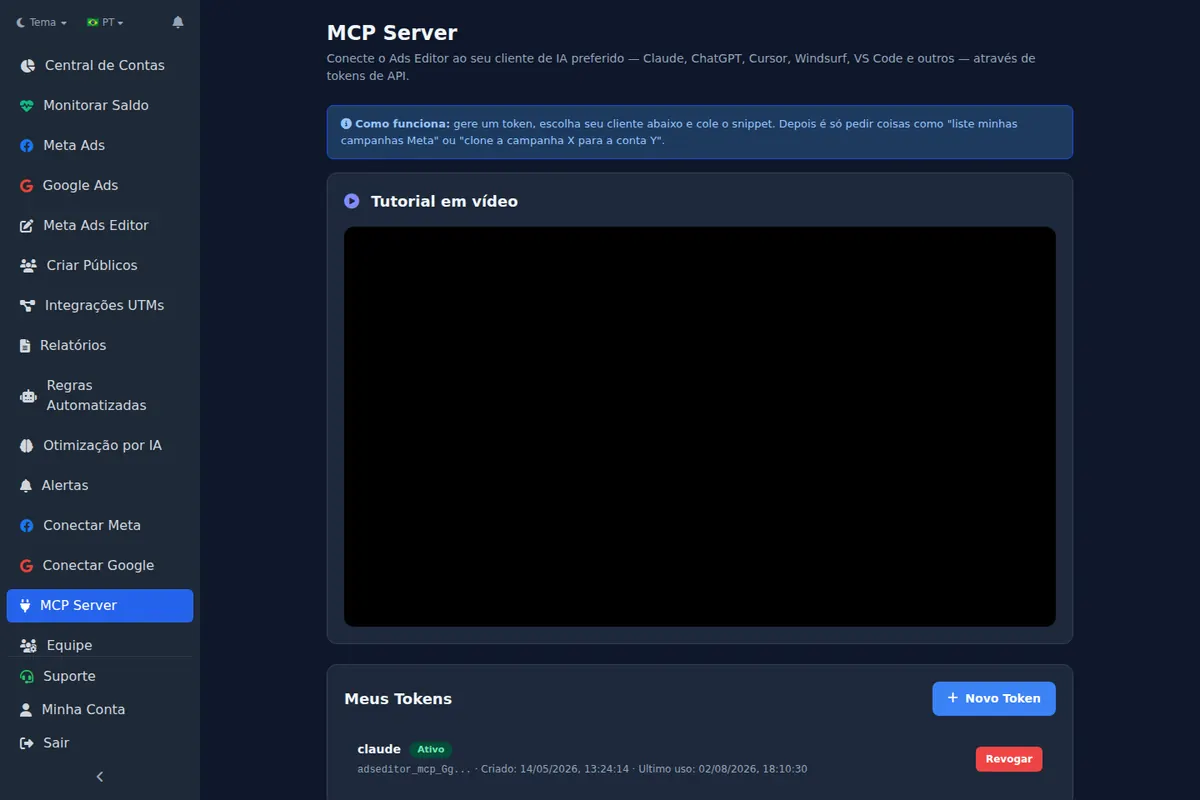
- In Ads Editor (MCP is available from the Pro plan), open MCP Server and generate a token.
- In Claude, use the native connection with the remote URL; for ChatGPT, Cursor, Windsurf or VS Code, follow the client's tab on the same screen; for Codex, see below.
- Open a new conversation (new tools only appear in new conversations) and ask something read-only, such as yesterday's spend per account.
How do you connect it in OpenAI Codex?
Codex (CLI, IDE extension and desktop app) accepts remote MCP servers, with a bearer token or OAuth. Using a token, which is what the Remote URL tab in the Ads Editor MCP Server screen teaches:
- Generate a token in MCP Server and store it in an environment variable, for example
ADSEDITOR_MCP_TOKEN. - Run
codex mcp add adseditor --url https://app.adseditor.com.br/mcp --bearer-token-env-var ADSEDITOR_MCP_TOKEN. - Open a new Codex session and ask something read-only, such as the list of your Meta accounts.
The server also advertises OAuth login, and Codex has codex mcp login for that. The configuration lives in ~/.codex/config.toml.
Which ready prompts work with the Ads Editor MCP?
The prompts below use the tools the user base calls most (measured from May 14 to September 23, 2026; details in Meta Ads MCP usage data). Replace the brackets with your account or campaign name. The middle column shows what the assistant triggers, so you can check it in recent activity.
| Prompt | Tools | Type |
|---|---|---|
| List my Meta accounts and yesterday's spend for each, highest to lowest. | list_meta_accounts, get_account_summary | Read |
| In account [name], which active campaigns spent the most in the last 7 days, and what is each one's cost per result? | list_campaigns, get_campaign_metrics | Read |
| Compare the last 7 days with the previous 7 in campaign [name]: what got worse most, CPM, CTR or conversion rate? | get_campaign_metrics (two periods) | Read |
| Show the 5 ads with the most spend in account [name] over the last 14 days, with CTR and cost per result. | list_ads_with_insights | Read |
| Open ad [name]: what are its copy, link, UTMs and its ad set's audience? | get_ad_details, get_adset_details | Read |
| Does this ad do better on mobile or desktop? | get_ad_insights with a device breakdown | Read |
| Which Meta and Google accounts have less than 3 days of funds left? | get_account_balance_status | Read |
| How much did each Google campaign spend this month in account [name], and at what cost per conversion? | get_google_campaign_metrics | Read |
| Show the current daily budget of campaign [name] and the value with 15% more; apply only after I confirm. | get_campaign_details, update_budget | Action |
| List search terms from the last 30 days in campaign [name] that spent without converting; add the ones I approve as phrase negatives. | list_google_search_terms, add_google_negative_keyword | Action |
Why the action prompts ask for confirmation
Asking for the value first and confirmation after turns the AI into the one who prepares and you into the one who approves. On the server, update_budget also has a fixed daily ceiling that the assistant cannot exceed, whatever the request.
Is it safe to let AI change the account?
- The MCP token is yours and can be revoked on the same screen.
- Every action is logged in recent activity. Across the user base, most calls are reads, not actions.
- A team member only reaches the accounts and screens released to them (see give access to Facebook ad accounts).
- Daily budgets created or changed by AI have a fixed ceiling on the server.
About video and files
Large files do not travel well through chat: the limit is the model's output, not the server. That is why video goes in by public link, which the server downloads. For many files, use bulk uploading in the editor.
For where MCP fits next to copilots and budget automation, read AI for media buying.
Frequently asked questions
Can I manage Meta ads from ChatGPT?
Yes, by connecting an ads MCP server to ChatGPT. The Ads Editor MCP works with it, and Meta also offers official connectors in open beta.
Does the Ads Editor MCP work with Google Ads?
Yes. It covers Meta Ads and Google Ads, including Performance Max, negatives, assets and UTMs.
How many tools does the Ads Editor MCP have?
212 tools registered in the code on September 23, 2026.
Does Google have an official Google Ads MCP?
Yes, open source since October 7, 2025, and read-only: three tools to query data without changing the account. It requires running the server and configuring Google Cloud credentials.
Does it work in Codex?
Yes. Codex accepts remote MCP servers: codex mcp add with the Ads Editor URL and the token in an environment variable.
Glossary
- MCP server
- A service that exposes tools an AI assistant can call, such as reading metrics or changing a budget.
- MCP client
- The AI app that connects to the server, such as Claude, ChatGPT, Codex or Cursor.
- Bearer token
- A secret string the client sends to prove it may use the server; revocable at any time.
- Read tool
- A tool that only fetches data and never changes the account.
References
- What is the Model Context Protocol (MCP)?. Supports: MCP is an open-source standard for connecting AI applications to external systems.
- Meta ads AI connectors (Meta for Business). Supports: April 29, 2026: connectors in open beta to create, manage and analyze campaigns in the AI tools advertisers already use, powered by Meta's ads MCP server and CLI.
- Open Source Google Ads API MCP Server (Google Ads Developer Blog). Supports: October 7, 2025 release of an open source Google Ads API MCP server; the initial release is read-only, for reporting and diagnostics.
- googleads/google-ads-mcp (GitHub). Supports: The server exposes search, get_resource_metadata and list_accessible_customers, and needs Google Ads API credentials configured by the user.
- Model Context Protocol in Codex (OpenAI Developers). Supports: Codex stores MCP configuration in config.toml, adds servers with codex mcp add, supports remote servers with bearer_token_env_var and OAuth authentication.
Links opened and checked when the article was last updated.
About the author
Matheus Mello, founder of Ads Editor and owner of YEP Agência. Runs client ad accounts at YEP Agência and built Ads Editor so his own agency could stop publishing ads one at a time. Usage numbers quoted on the blog come from the product activity log. Instagram: @theusm