Run Google Ads from ChatGPT and Claude with an MCP
By Matheus Mello, founder of Ads Editor and owner of YEP Agência · Published · 5 min read
Run Google Ads from ChatGPT or Claude with an MCP that writes to the account and you get more than reports: paused campaigns, Performance Max edits, negative keywords and campaign copies to another client, all requested in plain language in Claude, ChatGPT or Grok.
Connect my AIQuick answer
With the Ads Editor MCP, you run Google Ads from the chat: the assistant lists accounts and MCCs, creates Search, Display, Demand Gen, Performance Max and Shopping campaigns that always start paused, copies campaigns to another account, edits Performance Max asset groups, adds negative keywords and creates A/B experiments.
Summary
- The Ads Editor MCP covers Google Ads and Meta Ads on one server, with more than 350 tools.
- Google campaigns created from chat start paused: Search, Display, Demand Gen, Performance Max and Shopping.
- Adding a negative keyword is the second most called MCP action tool in the estimated distribution of 454,267 calls.
- Google's official MCP server is open source and self-hosted; it reads through GAQL and writes only assets, videos and labels, with two-step confirmation.
- Connects in Claude, ChatGPT (paid plans), Grok and terminal clients, with OAuth and no developer token.
In this article · 4 sections
What can you do in Google Ads from the chat?
Everything below comes from the help center guide everything you can do with MCP, which lists the capabilities in the server's tool registry.
Accounts, campaigns and budgets
- Lists accounts, MCC ones included, with each one's real status (active, suspended, no payment method), the optimization score and Google's recommendations, which you apply or dismiss from the chat.
- Creates Search, Display, Demand Gen, Performance Max and Shopping campaigns, always paused. Drafts a campaign with AI from the website, budget and city.
- Duplicates a campaign in the same account or into another one (the copy starts paused) and changes bid strategy, ad group target CPA, locations by city name and dates.
Request
"Create a Search campaign for a dentist in Chicago at $60 a day." Or: "Copy the Brand campaign from the Clinic A account to Clinic B, paused."
Keywords, search terms and negatives
- Queries Google's Keyword Planner, with real search volume and CPC for the account.
- Lists keywords with quality score; adds, pauses and changes bids and match types.
- Shows search terms for the campaign, the ad group or one keyword, and adds negatives at campaign or ad group level.
- Manages shared negative keyword lists: creates them, adds and removes words, applies and detaches them.
The most repeated Google action
In the estimated distribution of 454,267 Ads Editor MCP calls, add_google_negative_keyword has 9,777 estimated calls, the second most called action tool. Method in MCP by the numbers. The manual route is in Google Ads negative keywords.
Ads, assets and Performance Max
- Creates ad groups and responsive search ads (both start paused) and edits headlines, descriptions and URLs.
- Creates, edits and removes sitelinks, callouts and structured snippets.
- Reads and edits Performance Max asset groups: headlines, descriptions, images, videos, search themes and audience signals. Links Merchant Center to the campaign.
- Uploads images to the account library and videos by link or from Drive (up to 200 MB), published as unlisted on YouTube.
More on asset groups in Performance Max asset groups.
Audiences, demographics, hours and devices
- Creates website remarketing lists, custom segments and combined lists, and attaches audiences to campaigns, ad groups or Performance Max.
- Excludes or adjusts age, gender, household income and parental status on Search ad groups.
- Shows performance by device, hour, weekday and landing page, sets the ad schedule and adjusts device bids.
Conversions, experiments and rules
- Creates conversion actions (and returns the tag for the site) and sets each campaign's conversion goals.
- Turns on offline conversions: sales that arrive with the Google click ID are sent automatically every 10 minutes.
- Creates A/B experiments on bidding or landing page, tracks them and applies the winner.
- Creates Google rules that add search terms as negatives and pause keywords, plus CPA, CPC, spend and conversion alerts.
Request
"Test Maximize conversions against Target CPA on campaign X with 50% of traffic."
What about Google's official MCP server?
Google maintains an open source MCP server for the Google Ads API. In the repository, checked on November 20, 2026, it reads through GAQL queries and writes a small set of things (creating assets, uploading videos and managing labels), always with two-step confirmation. You run it yourself, in Python or a container, with a Google Cloud project and the Google Ads API enabled. It is a good fit for developers who want to query data; creating campaigns and adding negative keywords are not in its tool list.
The comparison with other servers (Composio, Ryze AI, Pipeboard, AdManage and the community one) is in best Google Ads MCP servers.
What needs confirmation in Google Ads?
- Campaigns, ad groups and copies start paused.
- Applying Google's recommendations asks for your confirmation first.
- A daily budget more than six times the current one, and above 1,000 in the account currency, needs an extra confirmation: the server returns a code tied to the operation, and the assistant resends it only after you confirm.
- Switching Google AI optimization to automatic mode asks for your confirmation.
How do you connect it?
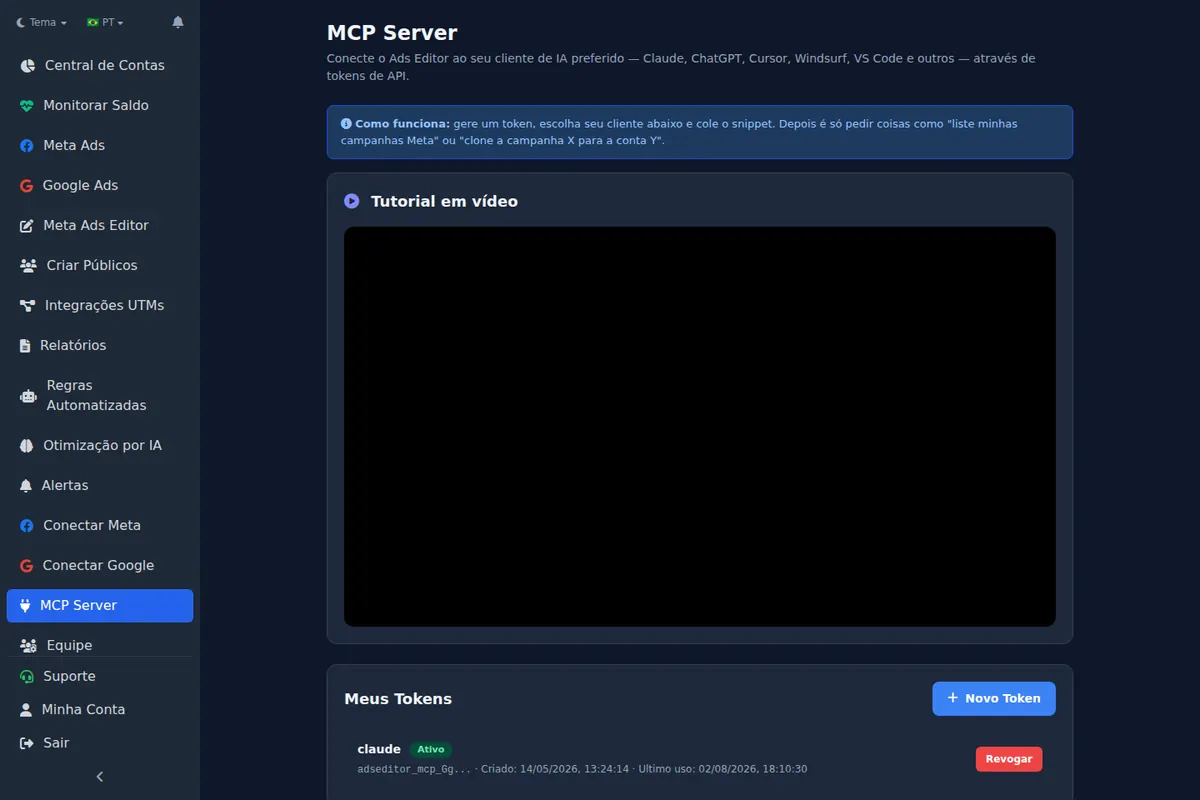
In Claude, ChatGPT or Grok, paste https://mcp.adseditor.app/mcp and authorize with your Ads Editor login: no developer token, no Google Cloud project. Setup for ChatGPT, Claude and Grok. The MCP comes with the Pro plan and up (pricing), with a 7-day free trial. Requests to copy in Meta Ads MCP prompts, and the overview, with Meta, in the Meta Ads MCP guide.
Frequently asked questions
Can I manage Google Ads from ChatGPT?
Yes, with an MCP server that writes to the account. The Ads Editor one creates paused campaigns, edits Performance Max, adds negative keywords and copies campaigns to another account.
Do I need a Google Ads developer token?
Not for the Ads Editor MCP: you connect your accounts in Ads Editor and authorize the assistant with your login. Google's official server, which you run yourself, needs a Google Cloud project with the API enabled.
Does the MCP work with MCC accounts?
Yes. It lists accounts, MCC ones included, with each one's real status.
Does a campaign created from chat go live right away?
No. Google campaigns, ad groups and copies created through the MCP start paused so you can review them before activating.
Glossary
- GAQL
- Google Ads Query Language, the query language of the Google Ads API.
- MCC
- A Google Ads manager account that groups several client accounts.
- Shared negative keyword list
- A set of negative keywords applied to several campaigns at once.
References
- GitHub: googleads/google-ads-mcp, checked on November 20, 2026. Supports: Open source Google Ads MCP server: reads through GAQL and writes only asset creation, video upload and labels, with two-step confirmation; runs locally or in your own deployment, with a Google Cloud project.
The claim supported by each source is shown above.
About the author
Matheus Mello, founder of Ads Editor and owner of YEP Agência. Runs client ad accounts at YEP Agência and built Ads Editor so his own agency could stop publishing ads one at a time. Usage numbers quoted on the blog come from the product activity log. Instagram: @theusm