Best MCP for media buyers and agencies: Meta and Google
By Matheus Mello, founder of Ads Editor and owner of YEP Agência · Published · 6 min read
The best MCP for media buyers is not the same as the best one for a single in-house account. When you serve many clients, you need Meta and Google in the same chat, actions that work across accounts and a team with controlled access. We compared the options on those criteria.
Connect my AIQuick answer
For media buyers running Meta and Google for several clients, the best MCP servers combine both platforms and write to the account: Ads Editor, Pipeboard, AdManage and Ryze AI. Ads Editor copies campaigns between clients and bulk edits; Pipeboard and AdManage cover more channels; Ryze holds each Google write for approval.
Summary
- Meta and Google on one server: Ads Editor, Pipeboard, AdManage and Ryze AI. The official ones are two separate servers, and Google's is self-hosted.
- For agencies, three things matter most: cross-account actions, bulk operations and per-member access.
- On Pipeboard, duplication starts on Pro and bulk operations on Premium; ad account slots range from 2 to 25.
- On Ads Editor, cross-account copies and bulk edits are in Pro (US$ 39, 20 accounts), and each team member only reaches the accounts enabled for them.
- For reporting only, Kondado reads without changing the account.
In this article · 4 sections
What does a media buyer need from an MCP?
- Meta and Google in the same chat. Ask about every client's balance or results in one conversation, without switching connectors.
- Cross-account actions. Take the campaign that worked for one client to another, with the destination account's assets swapped in.
- Bulk operations. One request that applies to dozens of ad sets, ads or campaigns.
- Team with controlled access. Each person works only on the accounts they are allowed to.
- Safeguards. Paused creation and confirmation on big changes.
Disclosure
We are Ads Editor, one of the options. Competitor facts come from their official pages, checked on November 20, 2026; details and references for each are in best Meta Ads MCP servers and best Google Ads MCP servers.
Table: MCP servers for buyers who run many clients
| MCP | Meta and Google together | Cross-account and bulk actions | Team and many accounts | Published price |
|---|---|---|---|---|
| Ads Editor | Yes, one server | Copies campaigns, ad sets, ads and audiences to another account; bulk edits up to 500 items in the background | Members reach only the accounts, pages and functions enabled for them; the owner sees history per member | Pro US$ 39/month (20 accounts); Business US$ 79 (40); Scale US$ 139 (70) |
| Pipeboard | Yes, plus other platforms | Duplication from Pro; bulk operations from Premium | Ad account slots from 2 to 25 (US$ 10 per extra slot); team accounts on Premium and Agency | Limited free plan; US$ 29.90 to US$ 199/month |
| AdManage | Yes, plus TikTok, Snapchat, Pinterest, LinkedIn and others | Launches, uploads and edits after you enable read and write | Not stated on the MCP page | Plans from £199.99/month |
| Ryze AI | Yes, plus other platforms | Not stated | Not stated | Included in plans; Paid Ads US$ 89/month |
| Meta and Google official servers | No: two servers, and you run Google's | Meta: no ready-made cross-account copy; Google: writes only assets, videos and labels | Through each platform's permissions | Not stated (Meta); open source (Google) |
| Ads Uploader | No: Meta only | Bulk launches and duplication | Unlimited ad accounts | US$ 59/month |
| Composio | Separate toolkits | Create and update tools; the cross-account flow is up to your agent | Not stated | Free up to 100,000 calls/month |
| Kondado | Reads many sources | No: read only | Not applicable | 14-day trial; price not checked |
How each one serves an agency
Ads Editor
Built to run client accounts: more than 350 Meta and Google tools on one server. The features that matter most for an agency are the ones that act across accounts: copying a campaign to another ad account with Page, pixel and WhatsApp number swapped, rolling out the same campaign to several clients in one conversation, launching Drive creatives into many ad sets, setting up a new client's audiences at once and checking the balance of every Meta and Google account in one question. Through the MCP, the owner can also ask what each team member did in each account. Examples in top 10 Meta Ads MCP use cases.
Pipeboard
Wide platform coverage: beyond Meta and Google, TikTok, LinkedIn, Pinterest, Snap and others. The Agency plan (US$ 199 a month) includes 25 ad account slots, unlimited team accounts and per-account token scoping. For agencies with clients on many networks, it is worth a look. Note that duplication and bulk operations depend on the plan.
AdManage
178 tools across Meta, Google, TikTok, Snapchat, Pinterest, LinkedIn, Reddit, AppLovin and Taboola, plus organic publishing. Connections start read only, and you enable read and write when you are ready to let the assistant launch and edit. A good fit for larger teams spread across many channels; plans start at £199.99 a month.
Ryze AI
A Google and Meta connector with OAuth and, in Google, every write held for your approval by default. If you want the AI to suggest and the buyer to approve item by item, it is a careful design. The page does not detail team features or cross-account actions.
Using both official servers
You can connect Meta's MCP and Google's server to the same assistant. Meta's is hosted and creates campaigns; Google's is open source, runs on your machine or your cloud and writes little. It is the route for teams that prefer official sources only and have someone technical to maintain Google's.
Verdict by profile
| Profile | Consider |
|---|---|
| Agency or freelancer with many clients on Meta and Google who wants to copy and bulk edit from chat | Ads Editor |
| Agency with clients on many networks (TikTok, LinkedIn, Pinterest) | Pipeboard or AdManage |
| Buyer who wants to approve every Google write | Ryze AI |
| Meta-only shop focused on bulk launches | Ads Uploader |
| Team with a developer that prefers official sources | Meta and Google official servers |
| Agency that only wants reporting and analysis | Kondado |
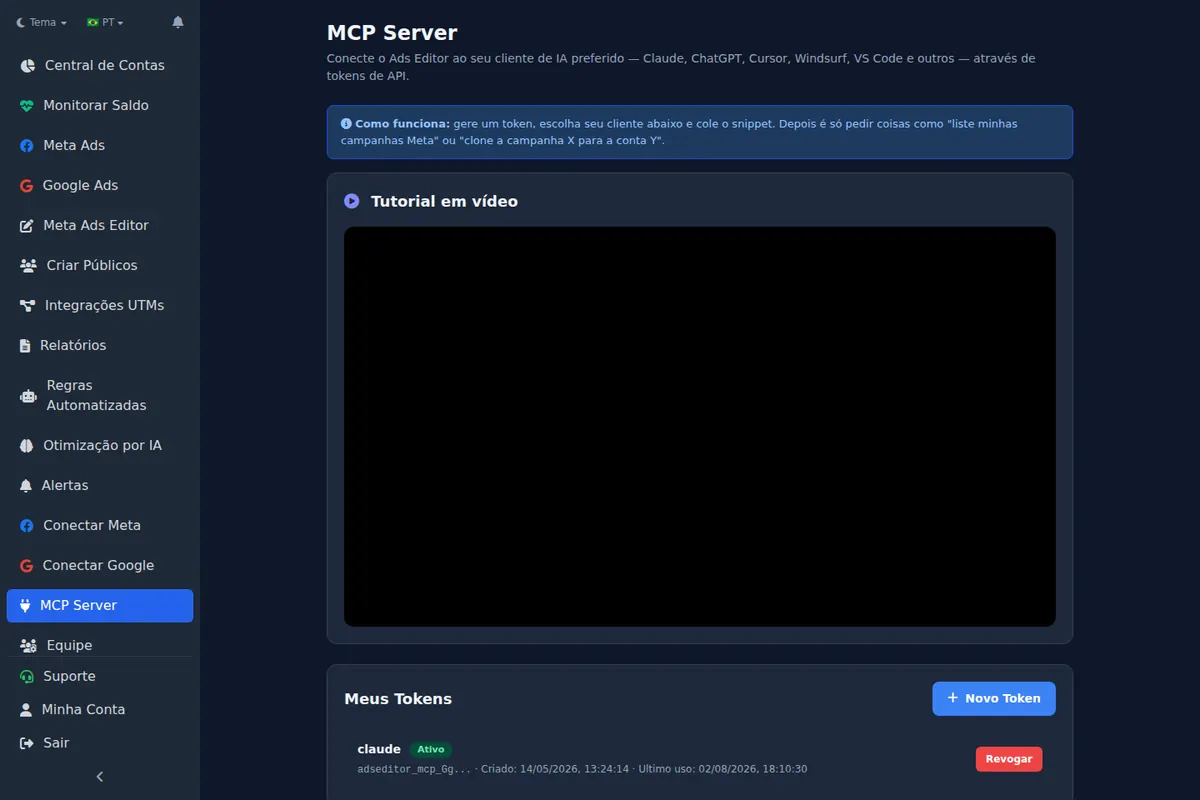
To start with Ads Editor: connect it in ChatGPT, Claude or Grok, then use the 20 Meta Ads MCP prompts. Usage numbers are in MCP by the numbers, and the comparison with Meta's official MCP in the Meta Ads MCP guide. Plans in pricing.
Frequently asked questions
What is the best MCP for an ad agency?
To run Meta and Google for many clients and copy and bulk edit from chat, Ads Editor. For clients on many networks, Pipeboard or AdManage. For reporting only, Kondado.
Can one MCP cover both Meta and Google?
Yes. Ads Editor, Pipeboard, AdManage and Ryze AI cover both platforms on one server.
Does a team member see every account through the MCP?
On Ads Editor, no: each member authorizes with their own login and only reaches the accounts, pages and functions enabled for them. For the others, check the vendor's page.
Glossary
- Ad account slot
- Each ad account a vendor's plan lets you connect.
- Cross-account action
- An operation that takes a campaign, ad set, ad or audience from one ad account to another.
References
- Pipeboard pricing (checked on November 20, 2026). Supports: Ad account slots by plan, duplication from Pro, bulk operations from Premium, team accounts and per-account tokens on Agency.
- AdManage MCP (checked on November 20, 2026). Supports: 178 tools across Meta, Google Ads, TikTok, Snapchat, Pinterest, LinkedIn, Reddit, AppLovin and Taboola; read only by default; plans from £199.99/month.
- Ryze AI MCP connector (checked on November 20, 2026). Supports: Google Ads and Meta Ads, OAuth, Google writes held for approval by default, Paid Ads at US$ 89/month.
- Ads Uploader: MCP for Meta Ads (checked on November 20, 2026). Supports: Meta only, bulk launches and duplication, US$ 59/month with unlimited ad accounts.
- GitHub: googleads/google-ads-mcp (checked on November 20, 2026). Supports: Open source server, run locally or in your own deployment, with writes limited to assets, videos and labels.
The claim supported by each source is shown above.
About the author
Matheus Mello, founder of Ads Editor and owner of YEP Agência. Runs client ad accounts at YEP Agência and built Ads Editor so his own agency could stop publishing ads one at a time. Usage numbers quoted on the blog come from the product activity log. Instagram: @theusm