How to bulk upload Facebook ads into many accounts
By Matheus Mello, founder of Ads Editor and owner of YEP Agência · Published · 8 min read
To bulk upload Facebook ads, Meta gives you one native path: the Import ads in bulk spreadsheet inside Ads Manager. It works for a monthly batch, and it gets painful fast when you ship new creatives every week into several client accounts.
Quick answer
To bulk upload Facebook ads without a third-party tool, use Import ads in bulk in Ads Manager: Meta's Excel template, one row per ad, desktop only, with a file limit of about 2 MB. It suits a monthly batch. For weekly packs across several accounts, a launch queue skips the spreadsheet: drag creatives in, write copy and UTMs once.
Summary
- Meta's native bulk upload is a spreadsheet import: one row per ad, exact column names, about 2 MB per file, one account per import.
- The spreadsheet pays off for a large structure built once, not for a weekly creative refresh across clients.
- A launch queue lets you pick accounts and ad sets first, drop the creatives and write copy, URL and UTMs once.
- In 90 days, the median batch in Ads Editor had 2 unique creatives; the largest had 43.
- Partnership ads can go out in bulk too, but only after the creator approves your account.
Why does uploading ads one by one cost so much?
Ads Manager was designed to create one ad at a time. Every new creative means picking the campaign and ad set, uploading the file, writing the primary text, choosing the call to action and reviewing. Five creatives is tolerable. A pack of twenty creatives for three clients is your whole evening.
It gets worse with creative refresh. If your niche burns through creatives every 12 to 14 days (see hook rate, hold rate and creative fatigue), that cadence only survives if shipping the pack is fast.
How do you bulk upload ads with Meta's spreadsheet?
It is the native, free path, and it is the first one worth trying. It only works on desktop.
- Open the menu. In Ads Manager, above the Campaigns, Ad sets or Ads tabs, open the import and export menu and choose Import ads in bulk.
- Get the template. Download Meta's Excel template, or export existing ads and edit that file. Use the .xlsx template: a plain CSV often fails on headers.
- Fill one row per ad. Campaign, ad set, Page, primary text, headline, link and call to action. Every ad needs a Page, or the row is rejected.
- Do not rename columns. Meta matches data by the exact header name; a renamed or extra column is ignored.
- Attach the media. Meta links each image to its ad by file name, so keep file names identical to the spreadsheet.
- Import and fix. Errors block a row and warnings let it through; the option to view errors in Excel tells you what to fix. Review the imported ads before you publish.
Where does the spreadsheet import break down?
| Limit | What it means in practice |
|---|---|
| File of about 2 MB | Fills up fast with dynamic creative and many variations |
| Desktop only | No bulk uploads from your phone |
| One account per import | The file goes into the account that is open; three clients means three spreadsheets |
| 140+ columns with exact names | Building and checking the sheet becomes the work you wanted to eliminate |
| Media matched by file name | Renaming a file after filling the sheet breaks the link |
| Copy repeated row by row | UTMs, text and CTA are copied into every row, so one mistake multiplies |
The honest read: the spreadsheet is good for a monthly batch of static ads when the copy already lives in a sheet. For daily or weekly work across several accounts, it costs more setup time than it saves. That is where a launch queue comes in.
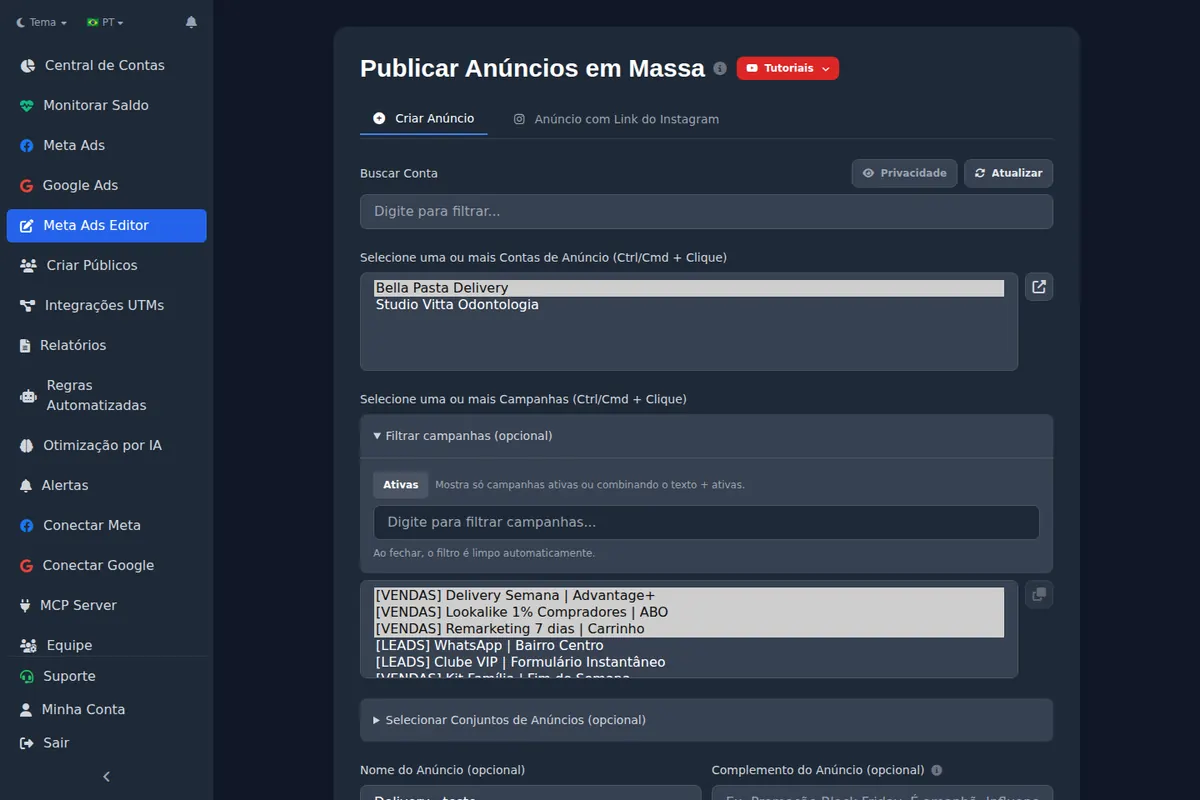
How does bulk publishing work in Ads Editor?
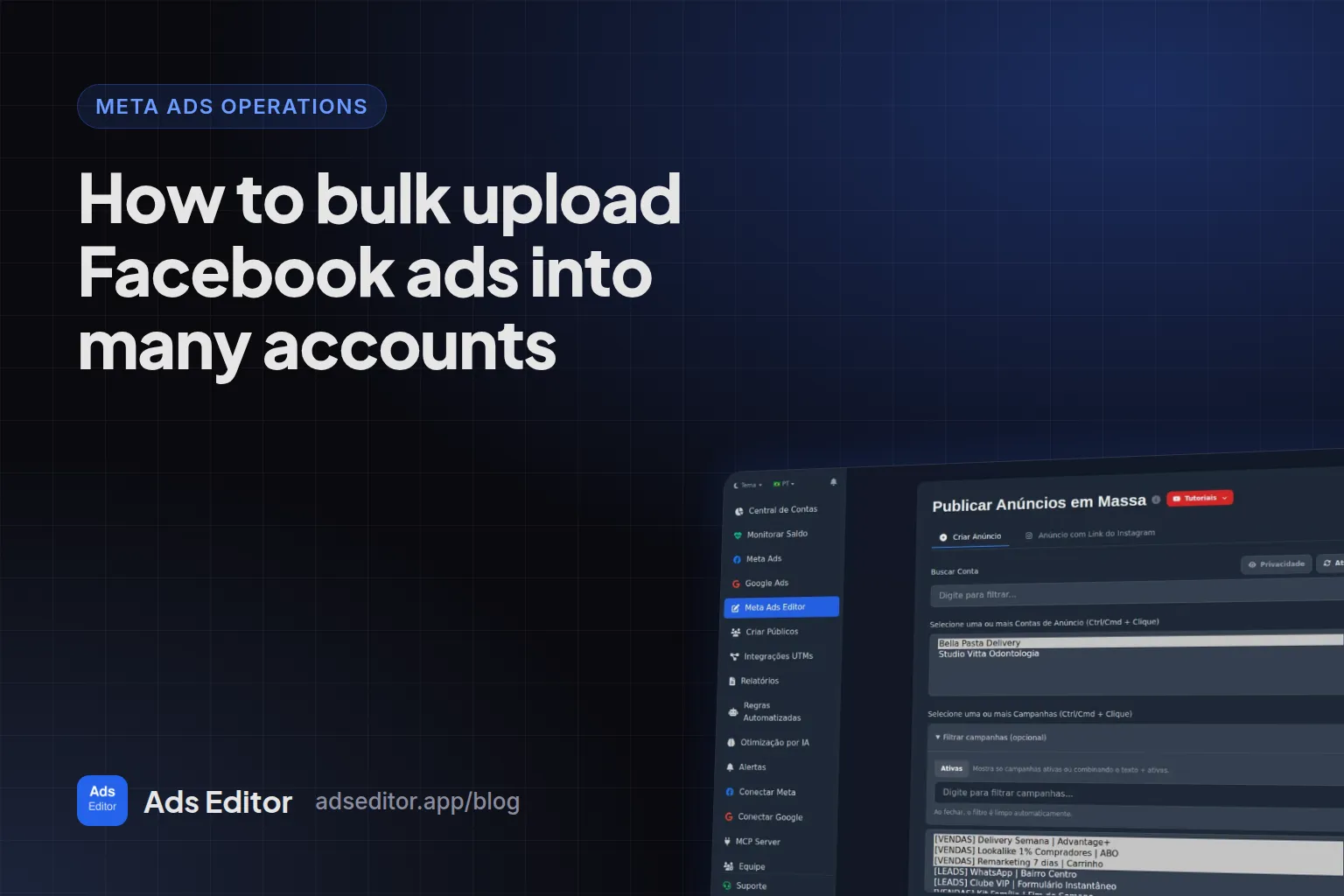
- Pick the accounts. One or several ad accounts (Ctrl or Cmd click).
- Pick campaigns and ad sets. The creatives go into the selected ad sets, in as many campaigns as you tick.
- Drag the creatives. Images and videos together. You can attach specific media for Stories and Reels placements.
- Write it once. Primary text, headline, URL and CTA apply to the whole batch. You can also reuse the copy of the most recent ad in each ad set.
- Set UTMs. Use the Ads Editor default, type your own or inherit from the existing ad.
- Page and Instagram. By default it keeps the ad set's identity; you can switch it or mark the batch as partnership ads.
- Status. Publish active or paused and follow the queue item by item. If something looks wrong, there is a stop button.
How many ads do people actually upload at once?
Measured: 1,927 batches published between June 25 and September 23, 2026
The median batch had 2 unique creatives; 25% of batches had 5 or more, 10% had 8 or more and the largest had 43. In total, 6,925 unique creatives became 11,051 ads, an average of 1.6 ads per creative.
Two useful readings. First, most batches are small. The gain is not only in the giant pack, it is in not opening the form every time a creative arrives. Second, the same creative often goes to more than one place, and that is where the native flow hurts most, because every destination is another form.
Can you turn Instagram posts into ads in bulk?
Yes. In the Instagram link tab you paste the post URLs, one per line, and pick one of two modes:
| Mode | What it does | When to use it |
|---|---|---|
| Create a new ad | Rebuilds the post media as a new ad (a dark post) | You want different copy or a different URL |
| Use existing post | Runs the real post, keeping its likes and comments | The post's social proof is the asset |
Carousels work too. Copy can come from the post itself, from the previous ad or be written fresh.
How do you bulk launch Meta partnership ads?
Partnership ads (formerly branded content ads) run with two identities in the header: yours and a creator's or another brand's. In the Page and Instagram section of the batch, tick partnership ad and choose the partner Page; the partner's Instagram account is filled in from the Page. If the target ad set already runs a partnership ad, the batch inherits the partnership without you ticking anything.
The three reasons Meta rejects a partnership ad, in the order we see them:
- The creator has not approved your account for partnership ads on Instagram. This is the most common one.
- The partner's Page and Instagram account are not linked, and you only filled in one of them. Without that link, the ad does not deliver on the platform left without an identity.
- The content breaks branded content policy, like any other ad.
Checklist before a partnership batch
1. The partner approved your account. 2. The partner's Page and Instagram are linked. 3. One paused test ad was accepted. Only then send the batch.
What are the most common bulk upload mistakes?
- Missing UTMs. An ad without UTMs never shows up in sales by ad. Set the default before you publish (see UTM parameters for Facebook ads).
- Wrong Page in a client account. When publishing into several accounts, check that every ad set has the right Page, or leave it on automatic, which keeps the ad set's.
- Publishing active without review. On a client's first batch, publish paused and check three ads in Ads Manager before activating.
- Heavy video. Large files take longer to process at Meta. Ads Editor uploads big files in chunks, but the queue still waits on Meta's processing time.
Does bulk publishing replace the media buyer?
No. It replaces the form. Deciding which creative goes to which audience, and when it comes down, is still the job. What changes is that the decision stops competing for time with data entry. To see where this fits in the whole operation, read how to manage multiple Facebook ad accounts.
Frequently asked questions
Does Meta have a native bulk upload for ads?
Yes: in Ads Manager, the import and export menu has Import ads in bulk, with Meta's Excel template, desktop only and a file limit of about 2 MB. There is no drag and drop flow to publish into several accounts from one screen.
Can I upload ads into several ad accounts at the same time?
Yes. In Ads Editor you select several accounts, campaigns and ad sets before attaching the creatives, and the queue publishes into all of them.
Do bulk uploaded ads reset the learning phase?
A new ad in an existing ad set counts as an edit to that ad set. For big packs, use dedicated test ad sets so you do not disturb an ad set that already exited learning.
Can I publish the batch paused?
Yes. The ad status is chosen for the batch: active or paused.
Glossary
- Import ads in bulk
- The Ads Manager feature that creates or updates campaigns, ad sets and ads from Meta's spreadsheet template.
- Launch queue
- A list of ads waiting to be published through the API, processed item by item with status for each one.
- Dark post
- An ad built from media that is not published on the Page feed.
- Partnership ad
- An ad that shows the advertiser and a creator or partner brand together in the header.
References
- Facebook merges Ads Manager and Power Editor into a single tool (Social Media Today). Supports: On September 14, 2017 Facebook announced that Power Editor and Ads Manager would become one tool, which is why bulk features now live inside Ads Manager.
- Batch requests (Meta for Developers). Supports: Batch requests are limited to 50 requests per batch, and each call inside a batch counts separately toward API call and resource limits.
Links opened and checked when the article was last updated.
About the author
Matheus Mello, founder of Ads Editor and owner of YEP Agência. Runs client ad accounts at YEP Agência and built Ads Editor so his own agency could stop publishing ads one at a time. Usage numbers quoted on the blog come from the product activity log. Instagram: @theusm