Meta Ads breakdown: how to read results by age, gender, placement and time of day
By Matheus Mello, founder of Ads Editor and owner of YEP Agência · Published · 8 min read
The Meta Ads Breakdown splits the results of a campaign, an ad set or an ad by one dimension: age, gender, placement, region, day or hour. It is the fastest way to answer where the results come from, and also the one that most often leads to a wrong decision when the slice has little data. Here is how to read each one and what to do with what shows up.
Build a report nowQuick answer
The Meta Ads Breakdown shows spend and results split by age, gender, placement, region, device, day or hour. Use it to understand where results come from and to guide the creative. Before excluding an age range or a placement, check that the slice has volume: Meta's delivery already redistributes the budget by itself.
Summary
- The Breakdown splits the same metrics as the table by one dimension, without changing the campaign.
- Delivery breakdowns: age, gender, country, region, platform, placement and device. Time breakdowns: day and time of day.
- A worse cost per result in one slice is not an automatic reason to exclude it: Meta delivers where the marginal result is cheapest.
- A slice with fewer than a few dozen results is noise, not a trend.
- In Ads Editor, the Breakdown button opens sub-rows inside the manager, on campaigns, ad sets and ads.
In this article · 5 sections
What is the Breakdown in Meta Ads?
It is the feature that opens each row of the table into parts. The campaign spent $2,000 and brought 40 purchases: the Breakdown shows how much of that came from each age range, each placement or each day. The metrics are the same as in the table, just divided up.
It is for diagnosis, not configuration. Nothing changes in the campaign when you pick a breakdown. What changes is the question you are able to answer.
| Breakdown | Question it answers | Decision it helps |
|---|---|---|
| Age | Which range buys and which only clicks? | Language and offer of the creative; minimum age of the ad set |
| Gender | Are results concentrated? | Creative variation by audience |
| Age and gender | Is there a specific group pulling the results? | Angle for the next batch of creatives |
| Country and region | Where is cost lower and where does it not sell? | Ad set location, shipping, service coverage |
| Platform | Facebook or Instagram? | Format of the asset |
| Placement | Feed, Stories or Reels? | A dedicated vertical asset; media per placement |
| Device | Phone or computer? | Check the page and the checkout on the device that converts less |
| Time of day | At what hour do results come in? | Support hours; ad scheduling |
| Day | On which date did results drop? | Cross-check with a change in creative, page or budget |
How do you read it without drawing the wrong conclusion?
The classic mistake: open by placement, see that Audience Network has a cost per result three times higher and turn it off. Sometimes that is the right call. Often the placement received 2% of the budget, and turning it off changes nothing, or makes things worse, because it removes from delivery a space where the marginal result was cheap.
Meta's delivery already does that redistribution. It does not look for the lowest average cost per slice: it looks for the next cheapest result wherever it is. That is why a slice can have a higher average cost and still be helping the total.
- Look at volume before cost. A slice with 3 purchases cannot support a decision. Work with 14 or 30-day periods when the account converts little.
- Compare share of spend with share of results. A slice with 30% of spend and 10% of results deserves attention. A slice with 3% of spend does not.
- Be suspicious of a high click-through rate with low conversion. It is usually an accidental-click placement, not an interested audience.
- Do not cut in the middle of the learning phase. Changing age, gender or placement restarts the ad set's learning.
- Prefer changing the creative to changing the audience. If women aged 35 to 44 convert more, the answer is usually to speak to them better, not to ban everyone else.
Time of day is not time of purchase
The hourly breakdown shows when the impression happened, and the conversion is attributed to it. Someone who saw the ad at 11 pm and bought the next day shows up at 11 pm. Use the breakdown to understand delivery, not to conclude that your audience buys in the middle of the night.
When does a breakdown justify changing the campaign?
| What the Breakdown shows | Reasonable action | Action to avoid |
|---|---|---|
| A region consumes budget and does not sell, with volume | Remove the region or create a dedicated ad set for it | Excluding a region with only a few days of data |
| Stories and Reels have a worse cost and the asset is square | Upload a vertical version of the same asset | Turning off Stories and Reels |
| The 18 to 24 range spends a lot with no results on a high-ticket product | Raise the ad set's minimum age | Creating one ad set per age range |
| Results concentrated in three hours of the day on a messaging campaign | Strengthen support during those hours | Restricting delivery to those three hours |
| Computer converts and phone does not | Test the page and the checkout on a phone | Excluding phones |
To actually restrict hours, Meta requires a lifetime budget on the ad set, as explained in how to schedule Facebook ads. And for a different asset in the feed and in Stories within the same ad, the path is media per placement, mentioned in bulk upload Facebook ads.
Where is the Breakdown?
In Meta's Ads Manager, it is the Breakdown button above the table, next to the columns. It works one account at a time.
In Ads Editor, the same Breakdown button sits in the Meta Ads table bar, next to Columns. The options are None, Age, Gender, Age and gender, Country, Region, Platform, Placement, Device, Time of day and Day.
- Open Meta Ads on the account and pick the period at the top.
- Go to the tab you want to analyze: Campaigns, Sets or Ads.
- Click Breakdown and pick the dimension.
- Each row gets sub-rows, one per slice, with the same metric columns as the table.
- To go back to the regular table, choose None.
Two limits to know in advance. The sub-rows are read-only: pausing and budget stay on the main row. And the UTM sales columns are empty in a breakdown, because the sale from the sales platform arrives tied to the campaign, the ad set and the ad, not to the age or placement of the buyer. On a large account with a long period, the query may not fit within Meta's time limit, and the screen asks for a shorter range.
In the client report and through AI
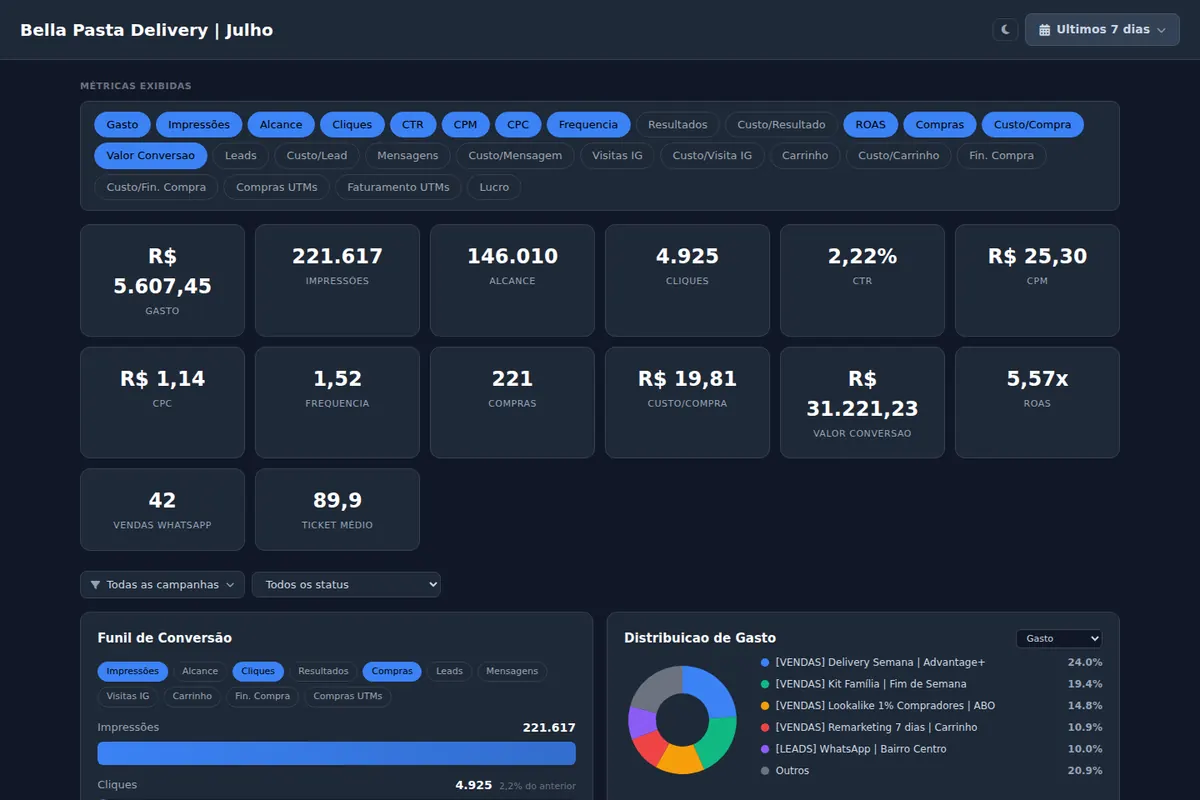
The same breakdowns go into the report link: in the report editor, turn on the Audience age, Audience gender, Top delivery states, Placements and Best days and times blocks. The client sees where the results come from without asking. The full template is in Facebook ads report for clients.
Through the Copilot, or through Claude and ChatGPT connected via the MCP, the breakdown comes on request: "show the cost per purchase of the Black Friday campaign by placement over the last 14 days and tell me which ones have fewer than 10 purchases". It is the fastest way to apply the volume-before-cost rule.
A 10-minute routine per account
- Once a week, open by Placement over the last 14 days. Look for a share of spend much larger than the share of results.
- Open by Age and gender. Write down the group that concentrates results: that is the brief for the next batch of creatives.
- On an account delivering to several states or regions, open by Region once a month.
- When results drop suddenly, open by Day and cross-check with what changed on that date.
- Log the decision and the date. Reassess in two weeks before changing anything again.
What the Breakdown does not answer is whether the sale really happened. For that, compare with the real sale from your sales platform, as in UTM parameters for Facebook ads.
Frequently asked questions
What is the Breakdown in Ads Manager?
It is the feature that splits the metrics of a campaign, ad set or ad by one dimension, such as age, gender, placement, region, device, day or hour. It only changes the view, not the campaign.
Should I exclude the age range with the highest cost per result?
Only if it has volume and a relevant share of spend. Meta already steers budget to where the next result is cheapest, and excluding a range with little spend rarely improves the total.
How do I find the best time to run ads?
The time of day breakdown shows when the impressions that produced results happened, not the hour of the purchase. Use it to plan support. Restricting hours requires a lifetime budget on the ad set.
Can I see the breakdown for several campaigns at once?
Yes. The breakdown applies to every row in the open tab. In Ads Editor, each campaign, ad set or ad gets its own sub-rows in the same table.
Do UTM sales show up in the Breakdown?
No. The sale from the sales platform arrives tied to the campaign, the ad set and the ad, so the UTM sales columns are empty in breakdowns by age, gender or placement.
Glossary
- Breakdown
- Splitting the metrics of a table row by one dimension, such as age, placement or day.
- Placement
- Where the ad appears, such as Feed, Stories and Reels, on Facebook and Instagram.
- Share of spend
- The percentage of total spend that went to one slice, used to compare against the share of results.
- Learning phase
- The period in which Meta's delivery is still calibrating the ad set, restarted by significant edits.
References
- Meta for Developers: Placement Targeting. Supports: Platforms and placements where an ad set can be delivered.
- Meta for Developers: Pacing and Scheduling. Supports: Ad scheduling by day and hour only with a lifetime budget on the ad set.
The claim supported by each source is shown above.
About the author
Matheus Mello, founder of Ads Editor and owner of YEP Agência. Runs client ad accounts at YEP Agência and built Ads Editor so his own agency could stop publishing ads one at a time. Usage numbers quoted on the blog come from the product activity log. Instagram: @theusm