Facebook ads report for clients: a template by objective
By Matheus Mello, founder of Ads Editor and owner of YEP Agência · Published · 5 min read
A Facebook ads report for clients has one job: show the business result of the money spent, in the client's language, and say what happens next. Most reports fail because they lead with impressions and CPM, which matter to the media buyer and rarely to the owner.
Quick answer
A good client report leads with the result of the objective (sales, leads or conversations) and cost per result, then spend, reach and the best ads, compared with the previous period. Deliver it as a link that opens on a phone without a login, and add the sales closed outside the ad platform.
Summary
- Answer five questions: spent, returned, cost per result versus last period, what worked, what comes next.
- Pick the headline metric by objective: ROAS and purchases, leads and CPL, conversations and cost per conversation.
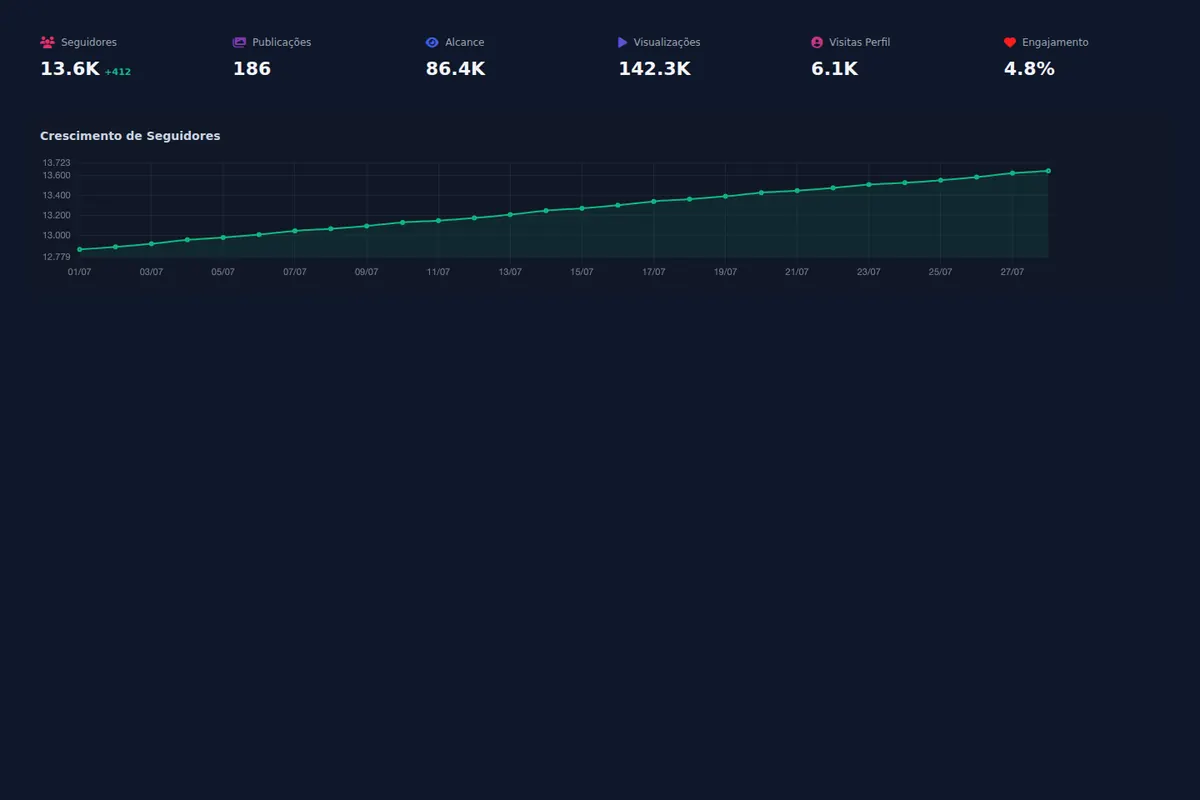
- One page is enough: result cards, funnel, top three ads, Instagram when relevant, next steps.
- Add offline or chat sales as manual metrics next to platform numbers.
- A live link beats PDF and spreadsheet: it updates itself and shows when the client opened it.
What does a client ads report need to answer?
- How much was spent?
- How much result came back, on the client's objective?
- How much did each result cost, compared with the previous period?
- What worked best (ads, audiences, campaigns)?
- What are we doing next period?
Everything else is support. Impressions and CPM interest the media buyer, rarely the business owner.
Which metrics should you show for each objective?
| Campaign objective | Headline metric | Supporting metrics |
|---|---|---|
| Online sales | ROAS and purchases | Cost per purchase, add to cart, initiate checkout |
| Lead generation | Leads and CPL | Landing page conversion rate, lead quality reported by sales |
| Messages | Conversations started and cost per conversation | Sales closed in chat, as a manual metric |
| Local business | Messages, directions or calls | Reach and frequency in the area |
| Awareness | Reach and CPM | Frequency and follower growth |
How do you structure the report on one page?
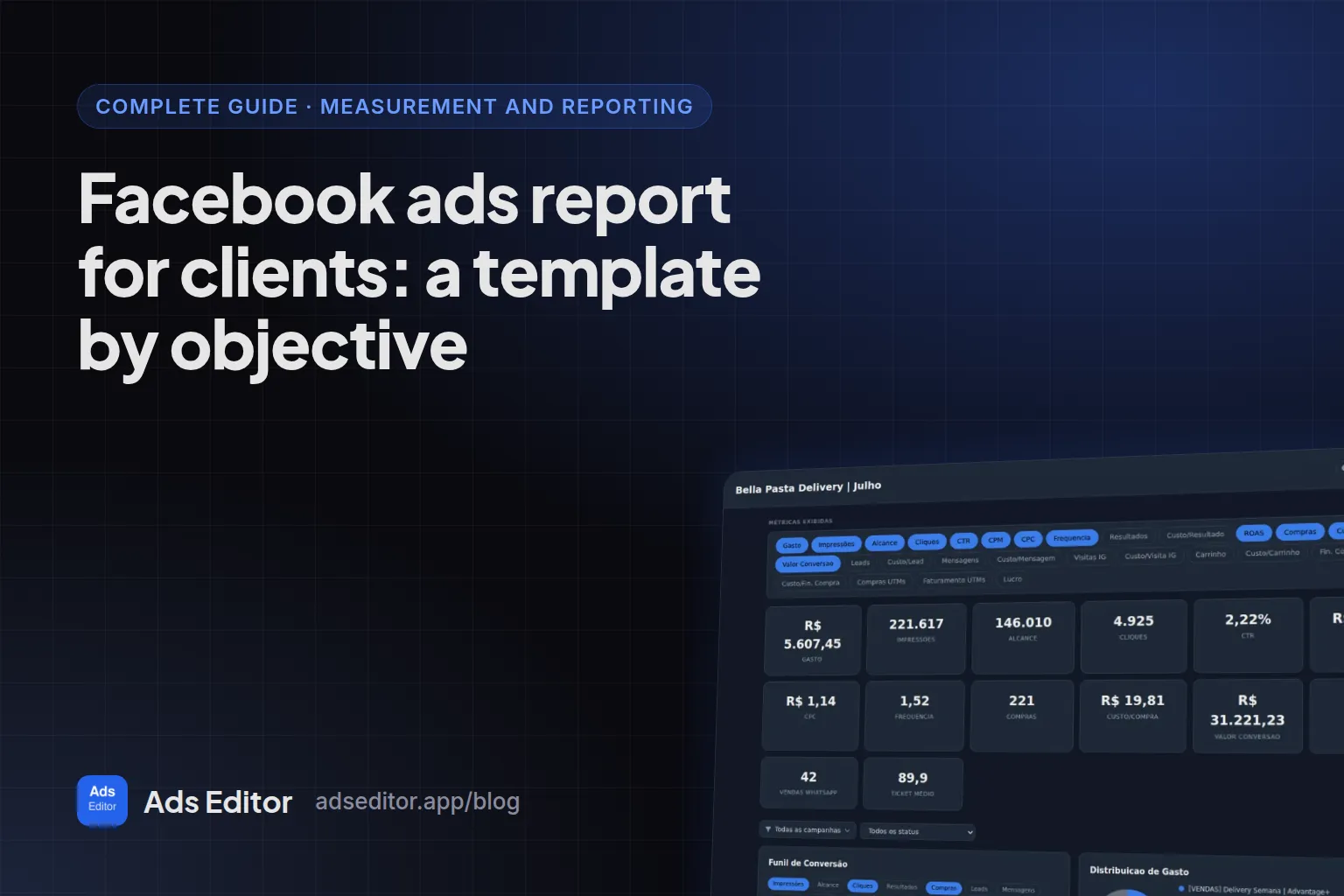
- Header: period and comparison with the previous one.
- Result cards: spend, headline result, cost per result and return.
- Funnel: from click to conversion, to show where it leaks.
- Top ads: the three that brought the most results, with the image.
- Instagram: follower growth and best posts, when the client cares about it.
- Next steps: two or three lines written by you.
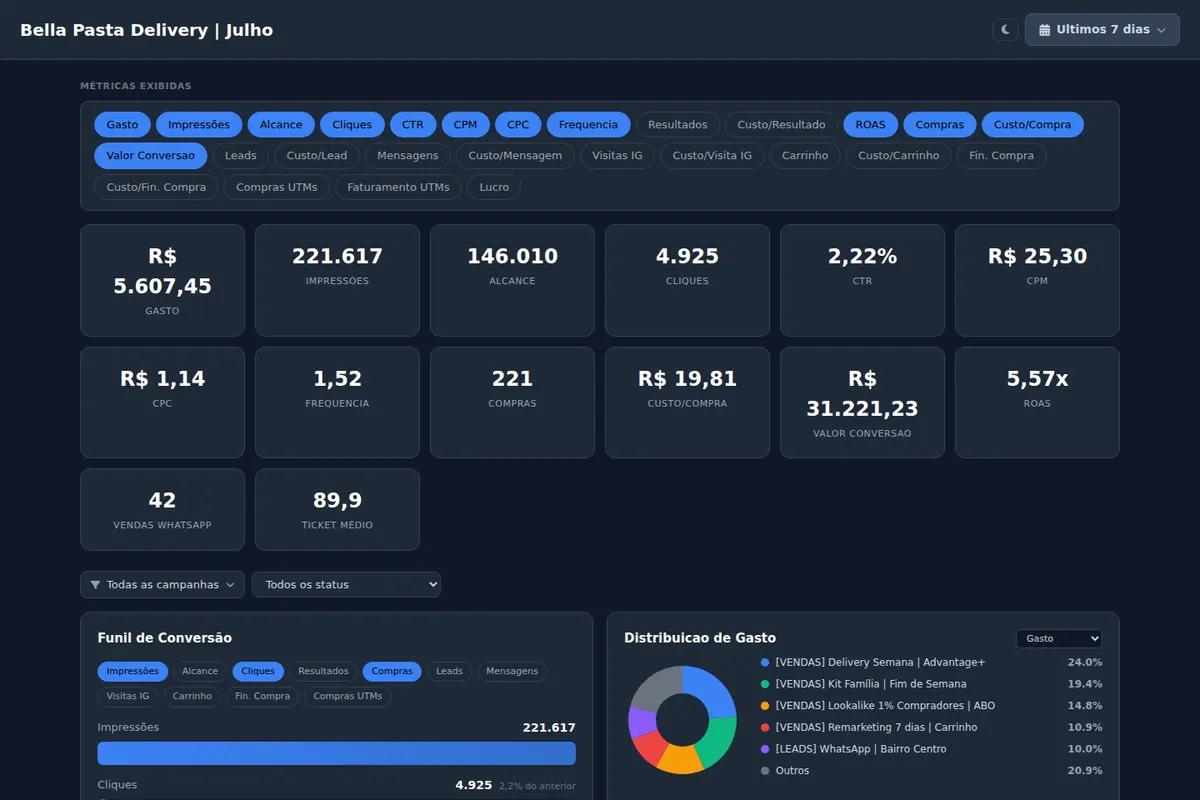
How do you include sales the platform cannot see?
A messaging campaign produces sales in chat or by phone, and Meta never learns about them. In the Ads Editor report you add manual metrics, such as sales closed in chat, next to platform metrics. For online sales, the link between each sale and the ad that produced it comes from UTMs, covered in UTM parameters for Facebook ads.
PDF, spreadsheet or link?
| Format | Advantage | Problem |
|---|---|---|
| PDF or slides | Polished, controlled | Built by hand every week and stale the next day |
| Spreadsheet | Flexible | The client does not read it |
| Report link | Updates itself, opens on a phone without login | Needs a tool |
In Ads Editor, the report is a link that combines Meta Ads accounts, Google Ads accounts and the client's Instagram. It can be public or password protected, and a recent access view shows when the client opened it. Templates save the setup so you can reuse it for other clients.
What about a quick summary for chat?
Not every client wants to open a link. In the Ads Editor manager, the Copy report button generates a text with the metrics you choose, ready to paste into Slack, email or WhatsApp, with an optional summary written by AI. It works in both the Meta and the Google manager.
How often should you send a report?
Weekly for accounts with a meaningful daily budget and frequent changes; monthly for stable accounts. With a link, the question changes: the client can open it whenever they want, and you send the analysis at the agreed pace. What happens between reports is the job of alerts and automated rules, covered in how to scale Facebook ads and in the monitoring layer of how to manage multiple Facebook ad accounts.
What should you cut from a client report?
- Vanity metrics with no link to the objective (impressions, CPM, link clicks on a sales campaign).
- Every campaign in a table. Show the top three and summarize the rest.
- Numbers without comparison. A $32 CPL means nothing without last month's $41.
- Metric definitions the client never asked for. Put them in a glossary at the end if needed.
Should Google Ads go in the same report?
Yes, when the same client runs both. The owner thinks in total spend and total result, not in platforms. Reporting both in one link avoids the question of which number is right. The Google side of the routine is in how to manage Google Ads for multiple clients.
Measured: June 25 to September 23, 2026
102 reports were created in Ads Editor by 29 user accounts.
Frequently asked questions
What should a Facebook ads report for clients include?
Spend, the result of the objective, cost per result compared with the previous period, the best ads and the next steps.
What is the best tool for Meta and Google Ads client reports?
One that combines both platforms and Instagram in a link the client opens without logging in. Ads Editor does that and shows when the client opened it.
Can I password protect a client report?
Yes. The report can be public or password protected.
How do I show chat or phone sales in the report?
Add manual metrics, such as sales closed in chat, next to the platform metrics.
Glossary
- ROAS
- Return on ad spend: revenue attributed to ads divided by ad spend.
- CPL
- Cost per lead: ad spend divided by leads.
- Manual metric
- A number you add to the report by hand, such as sales closed outside the ad platform.
- Report link
- A URL that shows live report data without the client logging in.
About the author
Matheus Mello, founder of Ads Editor and owner of YEP Agência. Runs client ad accounts at YEP Agência and built Ads Editor so his own agency could stop publishing ads one at a time. Usage numbers quoted on the blog come from the product activity log. Instagram: @theusm