How to track 100% of your Shopify sales back to your Facebook ads
By Matheus Mello, founder of Ads Editor and owner of YEP Agência · Published · 6 min read
To track Shopify sales from Facebook ads order by order, you need every paid order recorded on the server, not by a browser pixel, and each order tied to the ad through the UTMs of the visit. "100%" is honest only for the first half: every paid order can be recorded, while the ad is known for the orders whose visit carried your parameters.
Connect my sales platformQuick answer
Put Meta's dynamic UTMs on every ad, let Shopify record the landing URL of the visit, and send the Order payment and Order update webhooks to a tool that reads those UTMs. Every paid order is recorded server side, refunds included, and orders from ad clicks land on the campaign, ad set and ad.
Summary
- The pixel misses purchases (blockers, cookies, browsers); an order webhook does not.
- Shopify keeps the landing URL of the visit, so UTMs on the ad reach the order without extra code.
- Two webhooks: Order payment for the sale, Order update for full refunds and cancellations.
- Orders without UTMs still count, as total sales, not on a campaign.
- For Meta's optimization, the Facebook and Instagram app at Maximum data sharing uses the Conversions API.
In this article · 8 sections
Why do Meta and Shopify show different sales?
Meta counts purchases its pixel and Conversions API report, credited by its attribution setting (by default, a click in the last 7 days or a view in the last day), even when the buyer came back by another path. Shopify counts paid orders. Ad blockers, refused cookies and browser privacy make the pixel miss some purchases; the attribution window makes Meta credit others the ad did not close alone. Neither number is wrong; they answer different questions. More in why Meta Ads sales don't match your platform.
What does "tracking 100% of sales" really mean?
| Part | Can it reach 100%? | How |
|---|---|---|
| Recording every paid order | Yes | A server webhook from Shopify fires for every order, whatever the browser did |
| Refunds and cancellations | Yes | The Order update webhook carries the new financial status |
| Knowing the ad behind each order | Only for visits that carried your UTMs | UTMs on every ad and a landing URL that keeps them |
| Meta seeing every purchase for optimization | Close to it, not guaranteed | Pixel plus Conversions API with good customer matching |
Step 1: UTMs on every ad
Paste Meta's dynamic template in the URL parameters field of each ad:
URL parameters (Meta)
utm_source=FB&utm_campaign={{campaign.name}}|{{campaign.id}}&utm_medium={{adset.name}}|{{adset.id}}&utm_content={{ad.name}}|{{ad.id}}&utm_term={{placement}}
The name makes reports readable; the ID survives renames. The usual gap is old or duplicated ads without the template: fix them with a bulk edit of URL parameters, or with Add to campaigns in Ads Editor, which writes the template on the ads of up to 15 campaigns at a time.
Step 2: make the UTMs reach the order
When the ad sends people straight to the store, Shopify records the landing page of the visit on the order, UTMs included, and you can see the session's UTM parameters in the order's Conversion summary. Two situations need care:
- A landing page outside Shopify (a presell or quiz on another domain). The button to the store must carry the UTMs. A script that rewrites links does this; Ads Editor's tracking script appends the UTMs to links on the page.
- Visits without cookies. Shopify says the conversion summary can be limited or empty when cookies are blocked, on private browsing or for orders outside the Online Store channel. Those orders still arrive by webhook, without the ad.
Step 3: send every order by webhook
In the Shopify admin, open Settings, Notifications, Webhooks and create a webhook in JSON format. Shopify signs each webhook with a key unique to your store, shown on that same screen. Create two:
- Order payment: fires when an order is paid. This is the sale.
- Order update: brings the financial status changes, such as a full refund (refunded) or a cancellation.
The event cannot be changed after the webhook is created, so check it before saving.
How to set it up in Ads Editor
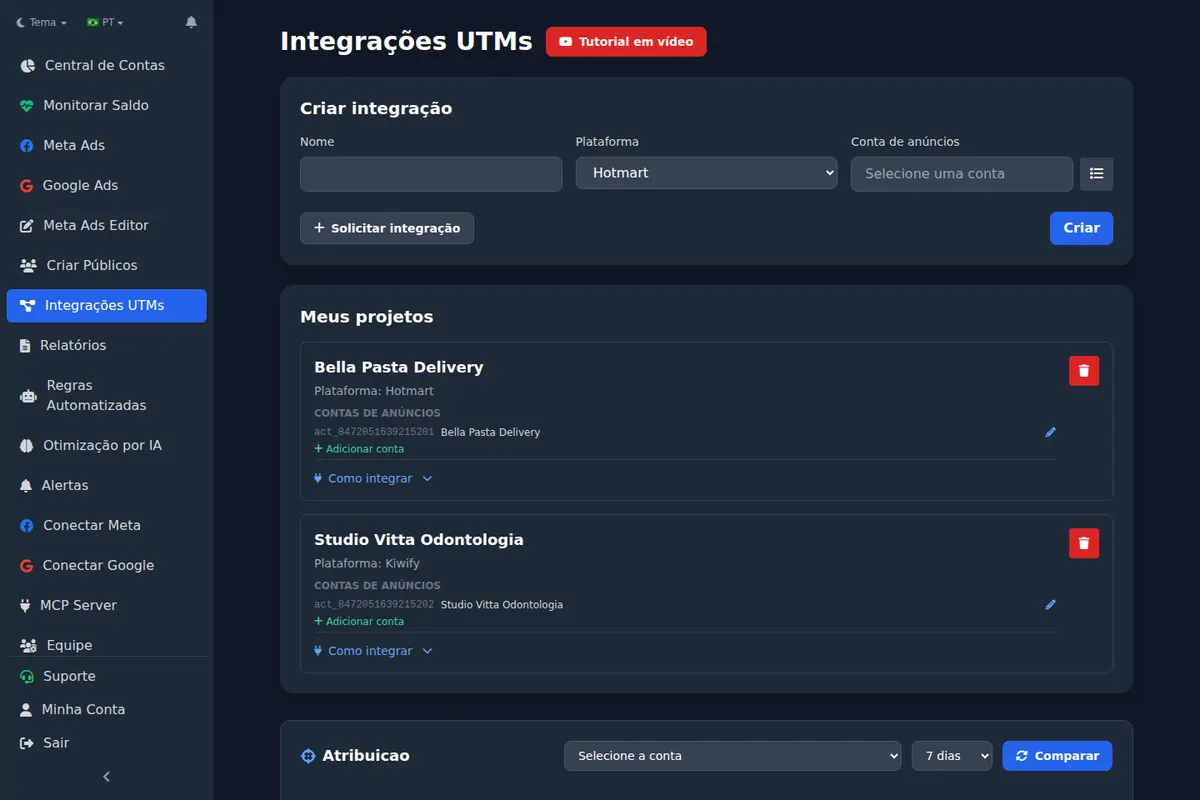
- In UTM Integrations, under New project, pick Shopify in the grid, name the project and choose the ad accounts.
- In Set up tracking, click Add to campaigns to apply the UTM template.
- Copy the project URL and create the two webhooks above in Shopify with it.
- Copy the signing key from Shopify's webhook screen and save it in the project: Ads Editor checks the
X-Shopify-Hmac-Sha256signature of every webhook. - Place a test order and look for it in Check that it worked.
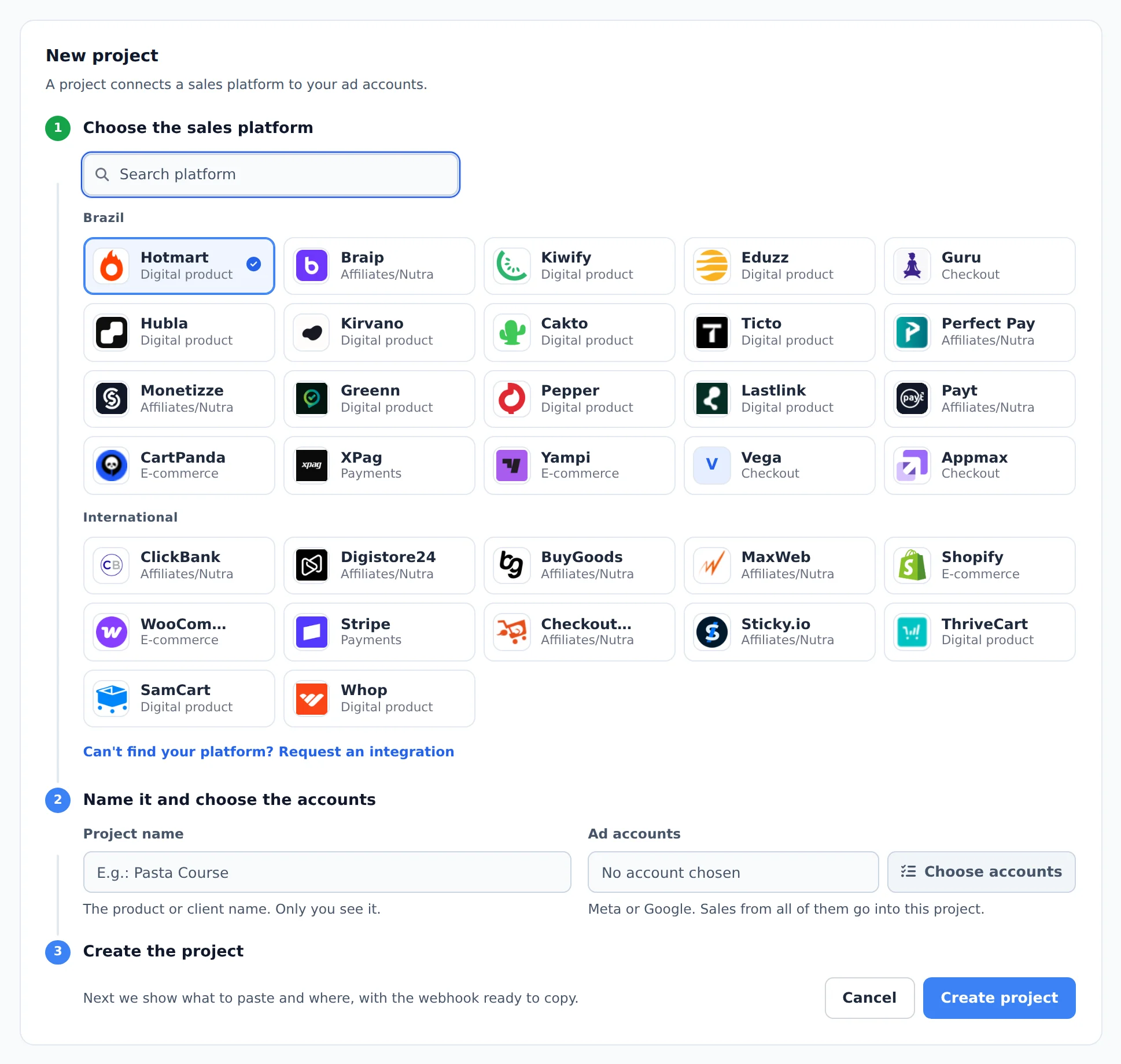
Ads Editor reads the UTMs from the order's landing URL and from the cart attributes, when a script writes them there. Paid orders go to UTM Purchases and UTM Revenue on the ad that brought the visit; a full refund or a cancellation takes the order out; orders with no UTMs go to Total Sales. The Attribution section puts Meta's purchase count next to the orders that arrived with UTMs, campaign by campaign, with the Discrepancy, Real CPA and Real ROAS.
Step 4: give Meta the purchases for optimization
Knowing which ad sold is for your decisions. Meta's delivery learns from the events it receives, so the pixel should be complemented by the Conversions API. On Shopify, the Facebook and Instagram by Meta app does this: at the Maximum customer data sharing setting it uses the Conversions API together with the pixel. Ads Editor does not send events to Meta. Details on deduplication and matching in the Conversions API guide.
Which mistakes cost the most?
- Ads duplicated without URL parameters, whose orders fall into Total Sales.
- A presell page whose button drops the UTMs.
- Only the Order payment webhook: refunds never leave the ROAS.
- Comparing Meta's purchase count with Shopify's orders and expecting them to match.
Step by step in Ads Editor
Help Center articles that walk through this task screen by screen:
Frequently asked questions
How do I see which Facebook ad made a Shopify sale?
Put dynamic UTMs on every ad, then read them on the order's conversion summary or send the order webhook to a tool that ties the UTMs to the campaign, ad set and ad.
Is it possible to track 100% of Shopify sales?
You can record 100% of paid orders by webhook. The ad behind each order is known only when the visit carried your UTMs.
Which Shopify webhooks do I need?
Order payment for the sale and Order update for full refunds and cancellations, both in JSON.
Does Ads Editor integrate with Shopify?
Yes. Shopify is in the international list of UTM Integrations, by webhook with signature check.
Glossary
- Order webhook
- A message Shopify sends to your URL when an order event happens, such as payment or update.
- Landing site
- The first URL of the visit that led to the order, where Shopify keeps the UTMs of the click.
- Conversions API
- Meta's server-side route to receive events such as purchases, complementing the browser pixel.
References
- Shopify Help Center: Creating webhooks. Supports: Webhooks are created in Settings, Notifications, Webhooks; JSON or XML; Order payment event; webhooks signed with a key unique to the store.
- Shopify Help Center: Viewing order conversion summary. Supports: Order conversion summary with sessions and UTM parameters; limited or empty summaries when cookies are blocked or outside the Online Store.
- Shopify Help Center: Facebook data sharing. Supports: Maximum data sharing setting uses the Conversions API and the Meta pixel.
- Meta for Developers: Conversions API. Supports: Conversions API sends server events to Meta, complementing the pixel.
- Ads Editor Help Center: Track digital product sales back to the ad. Supports: Shopify listed among the 32 platforms in Ads Editor's integration steps.
The claim supported by each source is shown above.
About the author
Matheus Mello, founder of Ads Editor and owner of YEP Agência. Runs client ad accounts at YEP Agência and built Ads Editor so his own agency could stop publishing ads one at a time. Usage numbers quoted on the blog come from the product activity log. Instagram: @theusm