Meta flexible ad format: what changes, when to skip it
By Matheus Mello, founder of Ads Editor and owner of YEP Agência · Published · 7 min read
Meta flexible ad format groups several images, videos and texts into one ad and lets delivery choose what each person sees. It saves build time when you want volume, and it hides exactly the information you need when you want to know which creative won.
Quick answer
The flexible ad format groups several media and texts into a single ad, and Meta's delivery system chooses the combination to show. It helps when you lack time to build variations and the goal is volume. It hurts when you need to know which creative won. For tests, publish every variation as its own ad.
Summary
- Flexible format, dynamic creative and Advantage+ creative are three different things in the API.
- Via the API, only Sales and App promotion objectives support the flexible format.
- In flexible ads, the copy lives in asset_feed_spec, not object_story_spec; tools that read only the latter see no text.
- Meta's breakdown by image or video does not work with it, so it is not a split testing tool.
- Ads Editor reads both formats when inheriting copy and publishes variations as separate ads.
What is Meta's flexible ad format?
Per Meta's developer documentation, the flexible ad format lets you group multiple creative assets, such as images, videos and text, in a single ad, and the delivery system selects the format to show without you specifying one. In practice, instead of building five ads with five pieces of media, you build one ad with all five and leave the combination to Meta. Jon Loomer notes you can submit up to 10 images or videos per ad, or more with creative groups.
The name shifts with time and screen. Dynamic creative, flexible format and Advantage+ creative show up mixed together in tutorials and in Ads Manager itself. It is worth separating them, because each touches a different thing.
Flexible format vs dynamic creative vs Advantage+ creative
| Name | What it does | How it appears in the API (Meta documentation) |
|---|---|---|
| Dynamic creative | Automatically combines media, texts and headlines from a set of assets | asset_feed_spec on the creative and is_dynamic_creative on the ad set, with one ad per ad set |
| Flexible format | Groups media and texts in one ad and lets delivery choose the format | creative_asset_groups_spec, with asset groups |
| Advantage+ creative | Automatic enhancements Meta applies to the creative, when enabled | degrees_of_freedom_spec, which sets the enhancement types enabled on the creative |
What the three share: Meta decides part of what the person sees. What matters in operations: the ad no longer has one fixed text and one fixed piece of media.
What changes inside the ad?
In a regular image or video ad, the primary text, headline and media live in object_story_spec, which the documentation describes as the content of an unpublished Page post. In a combined creative ad, those fields can be empty, and the copy moves into lists inside asset_feed_spec: bodies for primary text, titles for headline, descriptions for description.
| Field | Regular ad | Combined creative ad |
|---|---|---|
| Primary text | object_story_spec.link_data.message or video_data.message | asset_feed_spec.bodies[].text |
| Headline | link_data.name or video_data.title | asset_feed_spec.titles[].text |
| Description | link_data.description or video_data.link_description | asset_feed_spec.descriptions[].text |
| Media | One image or one video | Several; Meta chooses |
Observed in Ads Editor, September 2026
A team uploaded new ads expecting to inherit the copy of the latest active ad in the ad set, and they came out with no text. The previous ads had been built in Ads Manager with the flexible format, with the copy in asset_feed_spec, and Ads Editor only read object_story_spec. The fix made it read both.
The lesson applies to any tool, spreadsheet or script: anything that reads only object_story_spec sees a flexible ad as an ad with no copy. If your reporting or automation copies ad text, check that it reads asset_feed_spec.
What limits does Meta document?
- Via the API, only the Sales (
OUTCOME_SALES) and App promotion (OUTCOME_APP_PROMOTION) objectives support the flexible format. - Each group requires at least one image or video.
- Each group accepts no more than 5 texts per text type.
- All calls to action in a group must be of the same type.
- In dynamic creative, the documentation allows only one ad per ad set.
When should you use the flexible format?
- Limited build capacity. You have the media and the copy, but no time to build every combination as its own ad.
- The goal is volume, not learning. The campaign already has a validated direction and you want Meta to find the combination that delivers cheapest.
- Many copy variations for the same media. Groups take several texts per type, and delivery tests them on its own.
When should you not use it?
- In a creative test. If the question is which opening won, flexible answers poorly: Meta's breakdown by image or video does not work with it, and the winning combination does not become a creative you can remake and brief. For tests, every variation as its own ad, as in Facebook ads creative testing.
- When the copy cannot vary. A client with copy approved by legal or a regulator needs to know exactly what ran.
- When you track fatigue per creative. Hook and hold rate per piece of media get hard to read when Meta mixes it with several texts. The thresholds are in hook rate and hold rate.
- When you will need to swap the media later. In an ad where Meta picks from a set, there is no single piece of media to replace.
This split is our operating position, not a Meta rule. The documentation pages we opened do not compare performance between flexible format and separate ads; if you want to know which does better, test it in your own accounts.
What does Ads Editor do with flexible ads?
Inherits copy by reading both formats
In bulk publishing you can reuse the copy of the previous ad in the ad set. The rule is simple and lives in the product code: look only at active ads (if none, any ad), newest to oldest, and take the first one with copy, reading object_story_spec, then the body field, then asset_feed_spec. Headline and description follow the same path, each on its own.
Publishes variations as separate ads
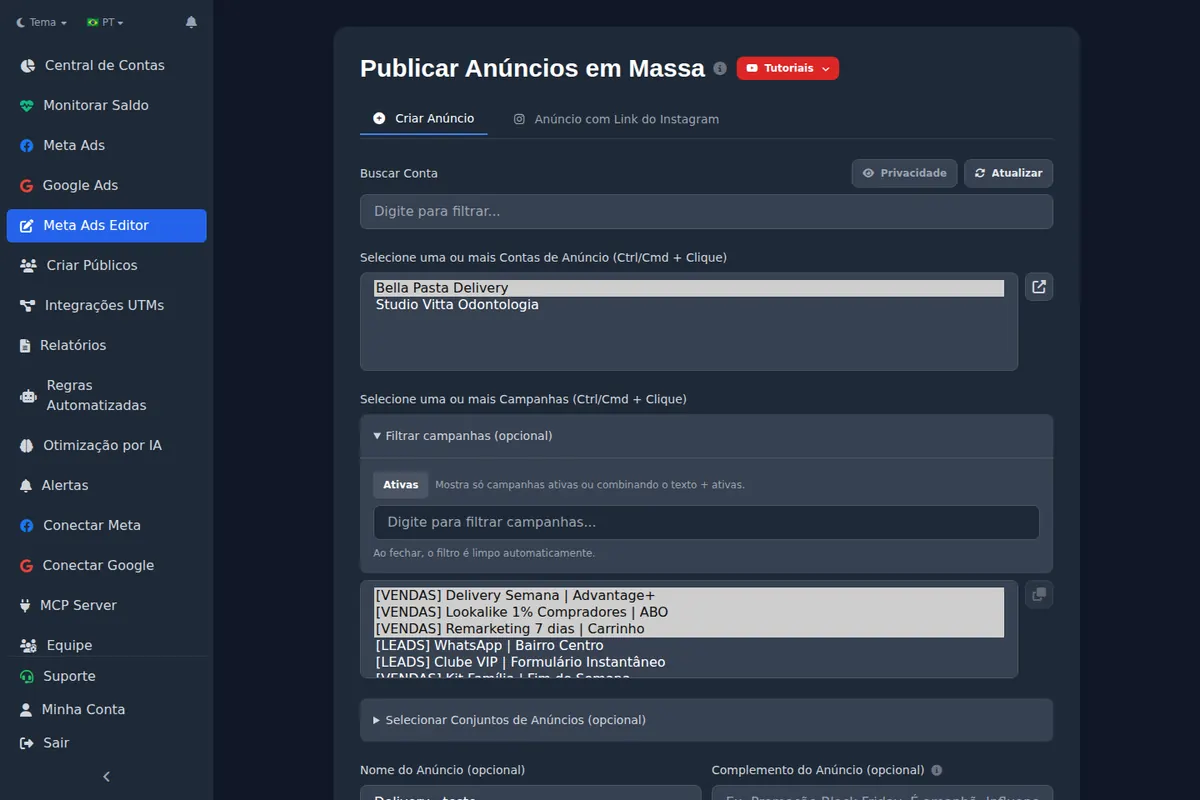
Ads Editor's bulk publishing turns each creative into its own ad, with the copy set once for the batch. It is the path for when you want the per-variation read that flexible hides. You can also attach specific media for Stories and Reels to the same ad. Ads Editor does not build flexible format ads: those you create in Ads Manager.
Warns before trying to swap media
Swapping the media of an existing ad works when the ad has one image or one video in object_story_spec. In an automated creative ad, Meta picks the media, and the screen says so upfront instead of failing halfway. For where testing and flexible fit in a scaling plan, see how to scale Facebook ads.
Frequently asked questions
What is the flexible ad format on Meta?
A format in which one ad receives several pieces of media and text, and Meta's delivery system picks the combination to show each person.
Where is the copy of a flexible ad in the API?
In lists inside asset_feed_spec (bodies, titles, descriptions), not in object_story_spec as in a regular ad.
Is the flexible format good for creative testing?
Not really: results come from the whole ad and the breakdown by image or video does not work with it. For tests, publish each variation as its own ad in ABO.
Does Ads Editor create flexible format ads?
No. It inherits copy from flexible ads and publishes variations in bulk as separate ads; the flexible ad itself is created in Ads Manager.
Glossary
- Flexible ad format
- A Meta format that groups several images, videos and texts in one ad and lets delivery choose.
- Dynamic creative
- A Meta option that combines media, headlines and texts from a set of assets, one ad per ad set.
- asset_feed_spec
- The creative field that holds lists of texts and media for combined creatives.
- object_story_spec
- The creative field that holds a regular ad's media, text and link as an unpublished Page post.
References
- Flexible ad format (Meta for Developers). Supports: The format groups images, videos and text in one ad and delivery selects the format; only OUTCOME_SALES and OUTCOME_APP_PROMOTION support it; each group needs at least 1 image or video, no more than 5 texts per text type, and call to action buttons of the same type.
- Asset feed spec (Meta for Developers). Supports: asset_feed_spec delivers different combinations of an ad's creative to different people, with lists of bodies, titles, descriptions, images and videos.
- Dynamic creative (Meta for Developers). Supports: Dynamic creative requires is_dynamic_creative on the ad set and allows only one ad per ad set.
- Ad creative reference (Meta for Developers). Supports: object_story_spec creates an unpublished Page post with link_data, photo_data or video_data; degrees_of_freedom_spec sets the creative enhancements enabled.
- Flexible Ad Format: Why I Use It and How You Can Too (Jon Loomer). Supports: Meta's breakdown by image or video does not work with Flexible Ad Format, and the format is not meant for split testing.
- A Guide to Flexible Ad Format (Jon Loomer). Supports: Flexible Ad Format lets you submit up to 10 images or videos for a single ad, or more with groups, and is available for the App Promotion and Sales objectives.
Links opened and checked when the article was last updated.
About the author
Matheus Mello, founder of Ads Editor and owner of YEP Agência. Runs client ad accounts at YEP Agência and built Ads Editor so his own agency could stop publishing ads one at a time. Usage numbers quoted on the blog come from the product activity log. Instagram: @theusm