Instagram Story as an ad: how to pick the best ones and launch them in Meta Ads
By Matheus Mello, founder of Ads Editor and owner of YEP Agência · Published · 8 min read
Running an Instagram Story as an ad is one of the cheapest ways to find creative: the content is already made, already seen, and has already shown whether it holds attention. The catch is that the Story disappears in 24 hours, and the media and the numbers go with it. This guide shows how to pick the Stories worth budget and how to get each one into Meta Ads before it is gone.
Try bulk publishingQuick answer
To use an Instagram Story as an ad, choose by the numbers (replies, shares and retention, not just views), save the media within 24 hours and launch it as a new ad in an ad set with Stories and Reels placements. In Ads Editor, you can paste the Story link or ask the AI for the best ones.
Summary
- A Story that drove replies, shares and profile visits tends to work better as an ad than one that only got views.
- Instagram removes the Story after 24 hours: without saving the media and the metrics that day, the choice becomes guesswork.
- Boosting in the app is fast, but it ties the ad to a campaign created by the app, outside your structure.
- In the Meta Ads Editor, the Story link becomes an ad in several ad sets at once.
- Through the MCP, the AI lists the Stories in a period with their metrics, sorts them by the best and launches the chosen ones as ads.
- A Story is vertical: it works best in Stories and Reels and needs a different asset for the feed.
In this article · 7 sections
Why does an Instagram Story as an ad tend to work?
Because it looks like content, not advertising. It is shot vertically, with someone's face, without studio polish, and that is exactly the format that dominates Stories and Reels. When an organic Story gets a lot of replies or shares, it has already passed a free audience test: people who follow the brand stopped to watch and reacted.
That does not guarantee results with a cold audience, but it improves the odds. Instead of producing ten assets in the dark, you start from the two or three that have already proven something. It is the same logic as creative testing, with less production wasted.
How do you pick the Story that deserves budget?
Views alone are misleading: they follow the posting time and the Story's position in the sequence. The signals that separate a good Story from one that was merely seen are the action signals.
| Story metric | What it indicates | Weight in the choice |
|---|---|---|
| Replies | The message started a conversation | High, especially for messaging campaigns |
| Shares | The content was worth passing along | High |
| Profile visits | It sparked interest in the brand | Medium to high |
| Retention | People stayed to the end instead of skipping | High for video |
| Reach and views | The size of the audience that day | Low: useful for comparing Stories from the same day |
Rule of thumb: compare Stories with each other by rate, not by raw number. A Story with 800 views and 40 replies deserves a test more than one with 3,000 and 12. And prefer the one that works without context: a Story that only makes sense as a continuation of the previous one loses strength when it shows up alone to someone who has never seen the brand.
The 24-hour problem
Instagram keeps a Story live for 24 hours. After that it leaves the profile, and Instagram only makes the Story's data available to tools during those 24 hours. Whoever decides on Friday which Story of the week should become an ad finds out that Tuesday's media is no longer accessible and that the numbers, if nobody wrote them down, are lost.
The manual way out is discipline: download the Story the same day and log the metrics in a spreadsheet. The automatic way out is a tool that keeps both. In Ads Editor, the client report has an Instagram Stories section with the best ones in the period and the metrics for each, and the history is kept from the moment the section is turned on. The following periods stay complete, even after the Story is gone. See how to build that report in Facebook ads report for clients.
Three ways to turn the Story into an ad
| Path | How it works | Limit |
|---|---|---|
| Boost in the Instagram app | A button on the Story itself, with audience and budget set right there | Creates its own campaign from the app, outside your campaign and ad set structure |
| Download and upload in Ads Manager | The media goes in as a new creative in the ad set you choose | Manual, one ad at a time, and it depends on having downloaded in time |
| A tool that reads the Story and publishes | The link or the list of Stories becomes an ad in several ad sets | Depends on the tool having access to the brand's Instagram |
For anyone running an account with a defined structure, boosting in the app gets in the way more than it helps: the ad does not go into the testing campaign, does not follow the account's naming convention and does not compete with the other creatives under the same conditions.
How to launch from the Meta Ads Editor with the Story link
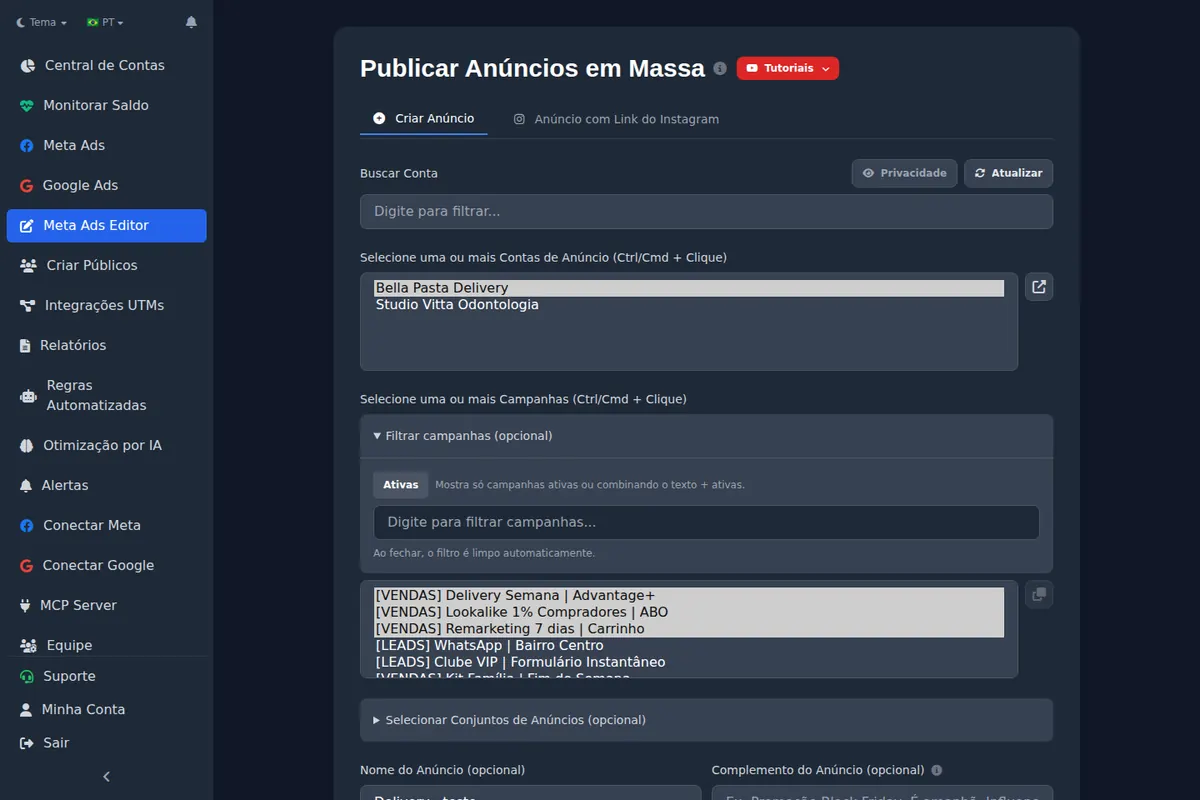
In Ads Editor, the Ad from Instagram Link tab of the Meta Ads Editor accepts links to posts, Reels and Stories from instagram.com. The path is the same for all of them, and the help center has the guide with screenshots:
- In the Meta Ads Editor, open the Ad from Instagram Link tab and choose the account, the campaigns and the ad sets.
- Under Instagram links, paste one link per line.
- Choose the primary text: custom, the current post caption or the text from the previous ad in the ad set.
- Choose the status and click Create Ads. The editor fetches each media file and creates one ad in each chosen ad set, in a queue.
Only use content that is yours or that you are authorized to advertise. And since the Story expires, paste the link while it is still live. The rest of the batch publishing flow is in how to bulk upload Facebook ads.
How to ask the AI for the best Stories
With Claude or ChatGPT connected to Ads Editor through the MCP, choosing and publishing happen in the same conversation. The AI lists the Stories of an Instagram account linked to a report, over a period, with the metrics for each one and in the order you ask for. Then it launches the chosen ones as ads, up to 10 at a time.
Prompts that work
"List the Stories from the last 7 days on the store's Instagram, sorted by replies." Then: "Launch the top three as ads, paused, in the ad sets of the Creative Testing campaign, using the text from the last ad in each ad set."
Two details explain why this works after the 24 hours. First, Ads Editor keeps a copy of the Story media from profiles linked to a report, for 7 days, so on Friday you can still pick Monday's Story. Second, the profile has to be linked to a report to have that history: a Story published before that is not included. The MCP is part of the Pro plan and up (pricing) and is available during the 7-day trial.
What to check before publishing
- Format. A Story is 9:16. Keep the ad set on Stories and Reels, or use a separate asset for the feed with the media per placement option.
- Story elements. Polls, question boxes and link stickers belong to the organic Story and do not work inside the ad the way they did in the original. Prefer a Story whose message does not depend on them.
- Music. A track from Instagram's library may not be cleared for use in ads. A Story with original audio avoids the problem.
- Text and button. A Story has no primary text and no call-to-action button. Write the text and choose the button on the ad.
- Other people. A customer's or an influencer's Story needs authorization. For creator content, the right path is the partnership ad.
- Start paused. Check one ad in Ads Manager before activating the batch.
Once it is live, treat the Story like any creative: compare by cost per result, track hook rate and hold rate and replace it when it wears out. The full routine for anyone handling several accounts is in how to manage multiple Facebook ad accounts.
Frequently asked questions
Can I turn an old Story into an ad?
Only if the media was saved. Instagram takes the Story down after 24 hours. In Ads Editor, Stories from profiles linked to a report have their media kept for 7 days, and the metrics stay in the report history.
Is boosting a Story on Instagram the same as advertising in Meta Ads?
The ad runs on the same platform, but boosting creates its own campaign from the app, with less control over structure, audience and comparison with your other creatives.
Which metric should I use to pick the Story?
Replies, shares, profile visits and retention, compared as a rate over views. Raw views depend on the posting time and the Story's position in the sequence.
Does the Story become an ad with the same stickers and polls?
The media goes over, but the interactive elements of the organic Story do not work the way they did in the original. Choose Stories whose message holds up without them.
Which Ads Editor plan do I need?
The Ad from Instagram Link tab is part of the Meta Ads Editor, available on every plan. Listing and launching Stories through AI uses the MCP, which is part of the Pro plan and up and of the 7-day trial.
Glossary
- Story
- A vertical Instagram post that stays live for 24 hours.
- Retention
- The share of people who watched the Story to the end instead of tapping forward or leaving.
- Boost
- Turning a post into an ad straight from the Instagram app, with a simplified setup.
- MCP
- A standard that connects AI assistants, such as Claude and ChatGPT, to external systems so they can query data and take actions.
References
- Meta: Reels ads and adapting creative. Supports: Vertical format and adapting the creative for Reels placements.
The claim supported by each source is shown above.
About the author
Matheus Mello, founder of Ads Editor and owner of YEP Agência. Runs client ad accounts at YEP Agência and built Ads Editor so his own agency could stop publishing ads one at a time. Usage numbers quoted on the blog come from the product activity log. Instagram: @theusm