Meta Lead Ads and instant forms: lead quality, testing and when to use a website or WhatsApp
By Matheus Mello, founder of Ads Editor and owner of YEP Agência · Published · Updated · 14 min read
Meta Lead Ads collect names, phone numbers and email addresses through an instant form inside Facebook or Instagram. The easier the form is to submit, the more qualification and fast follow-up matter: a full contact list does not guarantee sales.
Try bulk publishingQuick answer
Meta Lead Ads collect contact details through an instant form inside Facebook or Instagram, with no website visit. Pick Higher intent when quality matters more than volume, ask one or two qualifying questions, and judge results by cost per qualified lead. Ads Editor swaps the active instant form from the same Page on selected ads in one action.
Summary
- Instant forms cut friction; a website or WhatsApp gives you different ways to explain an offer or start a conversation.
- A review screen and useful qualifying questions help filter out impulsive submissions.
- The Page has to accept Meta’s Lead Ads Terms, and the form needs a privacy policy link.
- Test delivery with Meta's Lead Ads Testing Tool: one test lead per form, then check that it reached the CRM.
- Judge results by cost per qualified lead and sales outcomes, not just cost per form submission.
- To change a published form, duplicate it, edit the copy and update the ads.
In this article · 11 sections
What are Meta Lead Ads and how do instant forms work?
With the Leads objective and instant forms, a person taps the ad and a form opens inside Facebook or Instagram. Contact fields may be prefilled from their profile. After they submit, the lead sits in Meta and still has to reach whoever handles follow-up.
The benefit is less friction: no slow landing page and less typing on mobile. The trade-off is that someone who is merely curious can submit just as easily. The job is to add enough qualification to make the lead useful without making the form harder than it needs to be.
How do you create a Meta instant form, step by step?
The form is created inside the ad flow and saved to the Facebook Page, so the same form can serve several ads. Labels below are the ones in English Ads Manager; Meta renames menus from time to time.
- In Ads Manager, create a campaign with the Leads objective.
- At the ad set level, choose Instant forms as the conversion location and select the Facebook Page the form will belong to.
- At the ad level, go to the Instant form section and click Create form, or pick a form the Page already has.
- Choose the form type: More volume for quick submissions or Higher intent, which adds a review step before the person submits.
- Fill in the content: an optional intro, the questions (prefilled contact fields plus one or two qualifying questions), a link to your privacy policy and a completion screen that says what happens next.
- Publish the form and test it with the Lead Ads Testing Tool (steps below) before spending on the ad. A published form cannot be edited: to change it, duplicate it and edit the copy.
| Part of the form | What to put there |
|---|---|
| Form type | Higher intent, because the sales team calls every lead |
| Intro | One line with the development name, the neighborhood and the main benefit |
| Contact fields | Full name, phone number and email, prefilled from the profile |
| Qualifying questions | Buying to live in or to invest? When do you plan to buy? (multiple choice) |
| Privacy policy | Link to the developer's policy page, tested on a phone |
| Completion screen | When a broker will call, plus a button to the website or WhatsApp |
Instant form, website or WhatsApp: which should you use?
Use an instant form when the next step is a call or a visit and your team can respond quickly. Use a website when the page explains the offer well and tracking is reliable. Use WhatsApp when prospects need a conversation before deciding and someone is available to reply.
| Destination | Strength | Trade-off | Useful for |
|---|---|---|---|
| Instant form | Low-friction submissions, even without a strong website. | Leads can go cold; prefilled details may need confirming. | Real estate, schools, clinics and services that require a quote or a visit. |
| Website form | The prospect can read the offer before submitting; tracking shows more of the journey. | A slow page hurts conversion, and cost per lead may be higher. | Digital products, SaaS and offers that need more explanation. |
| A conversation starts around the prospect’s actual question. | Requires fast replies; a conversation is not the same as a completed form. | Local businesses, retail and services. |
In our experience, the deciding question is who follows up, and how fast? Forms without follow-up turn into a dead spreadsheet. WhatsApp without replies turns into an abandoned conversation. Choose a destination the client’s sales team can actually keep up with.
More volume or higher intent: which form should you choose?
Start with higher intent when the sales team complains about lead quality, and test more volume when not enough leads are coming in. A higher-intent form adds a review step where the person confirms their details before submitting.
That extra step can cut down on impulsive submissions. How much depends on the audience and the offer. Test both in your account and judge quality in the CRM, not just submission cost in Ads Manager.
Which qualifying questions should you ask?
Start with one or two questions the salesperson would ask on the first call. Focus on what is needed to handle the request, such as timing, location or the service they want. Clear multiple-choice answers are easier to review than long open-ended responses.
- Real estate: buying or renting? Which area? What timeframe?
- Clinics or local services: which location or service are you interested in? Avoid asking for unnecessary personal details.
- Schools or courses: which course, class or location?
- B2B services: how big is the team, and are they already using a solution?
Pick the form-builder fields that fit the offer. Ask only for what the team needs for the next step. Start with a short form and track what share of leads match your target customer.
Published forms need a new version
To change a published instant form, duplicate it, edit the copy and select the new form in the ads that used the old one. Name each version clearly so the team can track where leads came from.
What do you need before publishing Lead Ads?
Make sure the Page has accepted Meta’s Lead Ads Terms and the form includes a working privacy policy link. Someone with the right Page role may need to accept the terms before the form can be created.
The privacy policy should open on mobile and clearly explain how the business uses contact information and how people can make requests about their data. Test the link before publishing.
- No website yet: get a real, publicly accessible privacy policy page up before you launch.
- Multiple Facebook Pages: forms belong to the Page. Each Page has its own forms and setup.
- Thank-you screen: explain the next step and when the person can expect to hear back. When it makes sense, point the final button to your website or a WhatsApp link.
Check special ad categories for housing
For real estate campaigns, check the special ad category requirements shown in your account for the countries you target. Housing campaigns can come with targeting restrictions; do not assume the same setup works everywhere.
How do you get leads to the sales team before they go cold?
Connect the form to wherever the sales team actually works. Downloading a file once a day leaves interested prospects waiting for hours.
| Route | How it works | When to use it |
|---|---|---|
| Meta’s CRM connection | Connect the form through the CRM options Meta supports. | The client already uses a supported CRM. |
| Automation with n8n, Make or Zapier | New leads are pushed to the CRM or spreadsheet and the salesperson gets notified. | You need routing, a separate spreadsheet per client or notifications for the team. |
| Manual download | Export leads from Ads Manager. | For spot checks or as a temporary fallback, with a clear follow-up routine. |
Our basic workflow for local businesses: a lead comes in, lands in the CRM or spreadsheet, and the salesperson gets a notification with the relevant answers. The first reply should reference what the person asked for, so they know why you are reaching out.
When connecting a CRM or automation, authorize access to the Page’s leads and submit a test form. Confirm that the name, phone number and answers come through correctly and the salesperson gets the notification. Test it before you put spend behind the ads.
How do you test an instant form before going live?
Meta has a free Lead Ads Testing Tool for exactly this. It creates a test lead on a form and shows whether the real-time update reached your integration, so you find a broken CRM connection before you pay for real leads. Steps from Meta's developer documentation, checked on October 17, 2026:
- Open the Lead Ads Testing Tool (developers.facebook.com/tools/lead-ads-testing) and choose the Page. The list only shows Pages where you have an Advertiser role or higher.
- Pick the form in the Form drop-down.
- Click Create Lead. The test lead uses dummy data; to type your own values, use Preview Form.
- Click Track Status until it changes. Success shows the payload sent to your endpoint; failure shows an error code.
- Check the other end: the lead should appear in the CRM or spreadsheet and the salesperson should get the notification.
| What to check | How | What breaks if you skip it |
|---|---|---|
| Delivery to the CRM or automation | Create Lead, then Track Status in the testing tool | Real leads pile up in Meta while nobody calls them |
| Field mapping | Open the test lead in the CRM and compare name, phone and answers | The phone lands in the wrong column and the salesperson cannot call |
| Notification to sales | Confirm the salesperson received the alert | Follow-up waits until someone opens the spreadsheet |
| Privacy policy link | Open it on a phone | Form creation fails or people do not trust the form |
| A second test | Delete Lead first, then create again | The tool refuses a second test lead on the same form |
Two limits to know: the tool allows one test lead per form at a time, so delete it before creating another, and it does not work while your app is in developer mode. Test leads are organic and not tied to any ad, so they do not affect campaign results.
How do you measure lead cost and quality?
The CPL in Ads Manager measures the cost of a submission, not the cost of a customer. Cost per qualified lead is ad spend divided by the number of leads the sales team marked as qualified. To calculate it, you need consistent lead statuses in the CRM or spreadsheet.
Illustrative example, not client results
At $1,000 in spend, an instant form generates 100 leads at $10 each, but only 20 qualify: $50 per qualified lead. A website generates 40 leads at $25 each, with 25 qualified: $40 per qualified lead. The form looked 2.5x cheaper per submission but cost more per qualified lead.
- Contact rate: how many people picked up or replied? A low rate can point to bad contact details or impulsive submissions.
- Qualification rate: how many of the people you reached fit the offer? A low rate can point to weak qualifying questions or a promise that is too broad.
- Cost per meeting, visit or sale: tie spend to the outcome the client actually cares about.
If your CRM can report back to Meta which leads moved forward, look into conversion leads optimization. Check availability and requirements for your account and CRM. Either way, keep tracking who qualified, booked or bought: without feedback from sales, cheap submissions can hide expensive customers.
How should local businesses and real estate teams use Lead Ads?
Local businesses, schools and services
- Make the service area and location clear in the ad. A lead who lives too far away may never show up.
- Ask a useful question about the service or location so the team can start the right conversation.
- Use the final screen to explain how and when follow-up will happen.
Real estate and new development launches
- Use separate forms for different developments or price ranges instead of mixing every offer into one form.
- Ask what kind of property they want and when, keeping the questions relevant to the request.
- Weigh higher-intent forms against the cost of having the sales team chase unqualified leads.
- Line up weekend coverage before launch if that is when prospects are likely to respond.
How do you change or duplicate forms across multiple ads?
Ads Editor brings form management into the workflows media buyers already use:
- Editing a single ad: see the current form by name, replace or duplicate it, or create a basic form. Note that the quick-create flow produces a Portuguese-language form with full name, email and phone fields; check the form language before using it with an English-speaking audience.
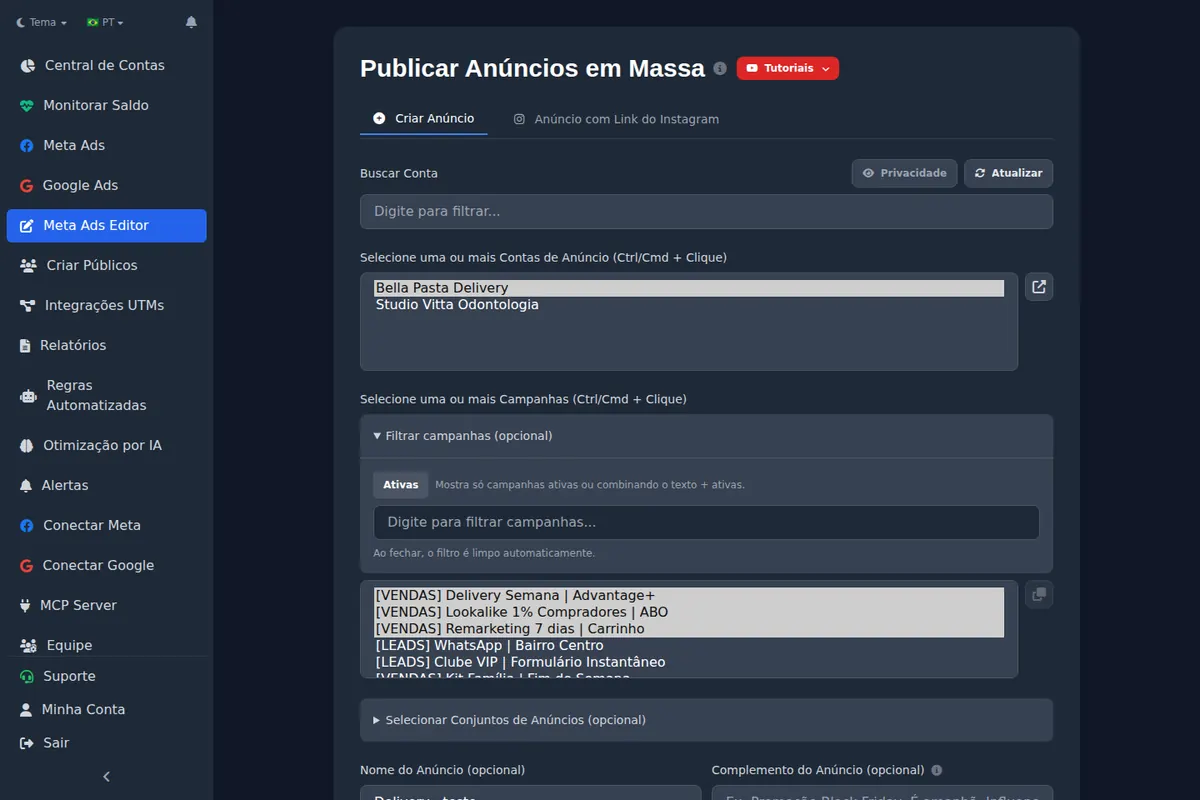
- Bulk editing: ads are grouped by Facebook Page, with a form selector for each Page. Ads that do not use instant forms, or formats that do not support the change, are skipped with the reason shown. See bulk editing Meta ads.
- Bulk publishing: for a new ad in a lead ad set, the Instant form field shows up in Meta Ads Editor and you pick the form. Left empty, Ads Editor looks for an existing form in the ad set, then in another ad set in the campaign, then the Page’s most recent active form. If none is found, publishing stops and asks you for a form. See bulk uploading Meta ads.
Before applying a replacement, Ads Editor checks that the selected form is active and belongs to the ad’s Page. If the form cannot be used, you see the reason so you can pick another.
How the bulk form swap works
Checked in Ads Editor's code on October 17, 2026: a bulk form swap reads up to 200 selected ads at a time, groups them by Facebook Page because a form belongs to one Page, and revalidates each ad against its own Page when writing. Ads that are not lead ads are listed with the reason instead of being dropped silently.
Can you manage forms from an AI chat?
Through Ads Editor’s MCP, ask Claude or ChatGPT to list forms, find out which ads use them, replace a form, duplicate one or create one. Refer to forms by name in the conversation. If names repeat, review the options before choosing. For example: “Which ads in client X’s account still use the August form? Duplicate it as September and apply it to those ads.”
Ads Editor’s automated rules can use Leads and Cost per Lead as conditions. These use the cost per submission Meta reports, not qualified-lead status from your CRM. Ads Editor does not pull the leads’ contact details; delivery to the CRM still runs through Meta’s connection or your own automation.
What are the most common Lead Ads mistakes?
- Judging campaigns on CPL alone without checking how many leads turned into conversations.
- Leaving leads sitting in Ads Manager until the end of the day.
- Using one generic form for different offers.
- Asking so many questions that submissions drop without quality improving to match.
- Running a giveaway that attracts people with no interest in the actual offer.
- Losing track of form versions. Put a date or version number in the name.
- Forgetting that forms belong to Pages, not directly to ad accounts.
Before you scale spend, check both qualification and follow-up. It is the same discipline as creative testing, applied to what happens after the click.
Step by step in Ads Editor
Help Center articles that walk through this task screen by screen:
Frequently asked questions
Are instant forms better than sending people to a website?
They cut friction and can generate more leads, but quality varies. Test both against qualified leads and sales. Fast follow-up favors forms; offers that need more explanation may do better on a website.
How do I create a Meta instant form?
Create a Leads campaign, set the ad set's conversion location to Instant forms, then click Create form at the ad level. Pick More volume or Higher intent, add the questions, a privacy policy link and a completion screen, and publish.
How can I improve lead quality?
Test higher-intent forms, add one or two relevant qualifying questions and follow up fast. Judge results by qualified leads and sales outcomes.
Can I edit an instant form after publishing?
Only by creating a new version: duplicate the form, edit the copy and point the ads to the new version.
How do I test a Meta instant form?
Use Meta's Lead Ads Testing Tool: pick the Page and form, click Create Lead, then Track Status to see whether the lead reached your CRM. It allows one test lead per form at a time.
Glossary
- Lead Ads
- Meta ads that collect contact details through an instant form inside Facebook or Instagram.
- Higher-intent form
- An instant form with a review step before submission, intended to encourage more deliberate responses.
- Cost per qualified lead
- Ad spend divided by the number of leads the sales team marked as qualified.
- Conversion leads
- An optimization option that uses CRM feedback about which leads progress through the sales process.
References
- Meta: instant form settings. Supports: Form settings and creating a new version for changes.
- Meta: receiving form submissions. Supports: Lead access and delivery to a business’s follow-up tools.
- Meta: conversion leads optimization. Supports: Using CRM feedback to optimize lead generation.
- Meta for Developers: Lead Ads Testing and Troubleshooting (checked October 17, 2026). Supports: Lead Ads Testing Tool URL and steps (Page, Form, Create Lead, Preview Form, Track Status); one test lead per form, delete before creating another; not available in developer mode; Advertiser role or higher; test leads are organic and not tied to an ad.
The claim supported by each source is shown above.
About the author
Matheus Mello, founder of Ads Editor and owner of YEP Agência. Runs client ad accounts at YEP Agência and built Ads Editor so his own agency could stop publishing ads one at a time. Usage numbers quoted on the blog come from the product activity log. Instagram: @theusm