ClickBank vs Digistore24: fees, offers and tracking for paid traffic
By Matheus Mello, founder of Ads Editor and owner of YEP Agência · Published · 4 min read
ClickBank vs Digistore24 is the most common comparison for affiliates who run paid traffic to digital products and supplements. Both resell the vendor's product and pay affiliates directly, so the choice comes down to fees, currency and geography, the offers in your niche and how cleanly each one sends sales back to your tracking.
Connect my sales platformQuick answer
ClickBank and Digistore24 are both resellers that pay affiliates directly. ClickBank publishes 7.5% plus $1 per sale; Digistore24 lists fees starting at 2.9% plus $1. ClickBank returns sales by Postback/Pixels or INS, Digistore24 by S2S postback or IPN. Choose by the offer and its refund rate, and track both the same way.
Summary
- Same model: the platform charges the buyer and pays vendor and affiliate.
- Published fees: ClickBank 7.5% + $1; Digistore24 from 2.9% + $1, varying by product and traffic.
- ClickBank tracking uses hoplink fields (tid, campaign, ad, aff_sub); Digistore24 uses cid and campaignkey.
- Both notify sales server to server; refunds come by ClickBank's INS and Digistore24's IPN.
- Ads Editor receives both natively, so the same campaign can be compared across networks.
In this article · 5 sections
How do ClickBank and Digistore24 compare?
| ClickBank | Digistore24 | |
|---|---|---|
| Model | Retailer: charges the buyer, pays seller and affiliate | Reseller: charges the buyer, handles VAT, pays vendor and affiliate |
| Published fee | 7.5% + $1 per sale (9.8% + $1.30 with Klarna) | Starting at 2.9% + $1 per sale |
| Vendor setup | $49.95 once, when the first product is approved | No setup fee, no monthly fee |
| Payout fees | $5 per payment issued | $2.50 ACH, $40 international wire |
| Affiliate link tracking | tid, campaign, adgroup, ad, aff_sub1 to aff_sub5, extclid, fbclid | cid (click ID), campaignkey |
| Sale notification | Postback/Pixels (affiliate and seller), INS v8 encrypted (seller) | S2S postback (affiliate), IPN signed with sha_sign (vendor) |
| Native in Ads Editor | Yes | Yes |
Which has lower fees?
On paper Digistore24, but its page says "starting at" and the rate depends on product type, traffic source and volume. As an affiliate you do not pay either fee directly: it reduces what the vendor can offer as commission. Compare the commission per sale you actually receive, minus refunds.
Which has better offers for Facebook ads?
There is no general answer, and anyone who gives one is guessing. Both marketplaces carry info products and supplements. What decides it is the specific offer: its funnel conversion rate on cold traffic, upsell take rate, refund rate and whether the vendor allows paid social. Run the same angle to an equivalent offer on each and let approved commissions per ad decide.
How does tracking differ?
- ClickBank gives you named fields on the hoplink. Values cannot contain characters like
|or{ }, so send IDs only. - Digistore24 gives you
cidfor the click ID, which returns in the S2S postback, andcampaignkeyfor reporting. - Refunds come back on both: ClickBank as RFND by INS (its Postback/Pixels reports purchases only), Digistore24 as on_refund in the IPN. A sale that is refunded after you counted it is the most common reason a campaign looks profitable and is not.
For both, a bridge page with a script keeps the click data and writes it into the right field. Ads Editor's script writes the compact code fbx<campaign>x<ad set>x<ad> into tid/vtid on ClickBank and ds24tr/cid on Digistore24.
How do you compare the two in one place?
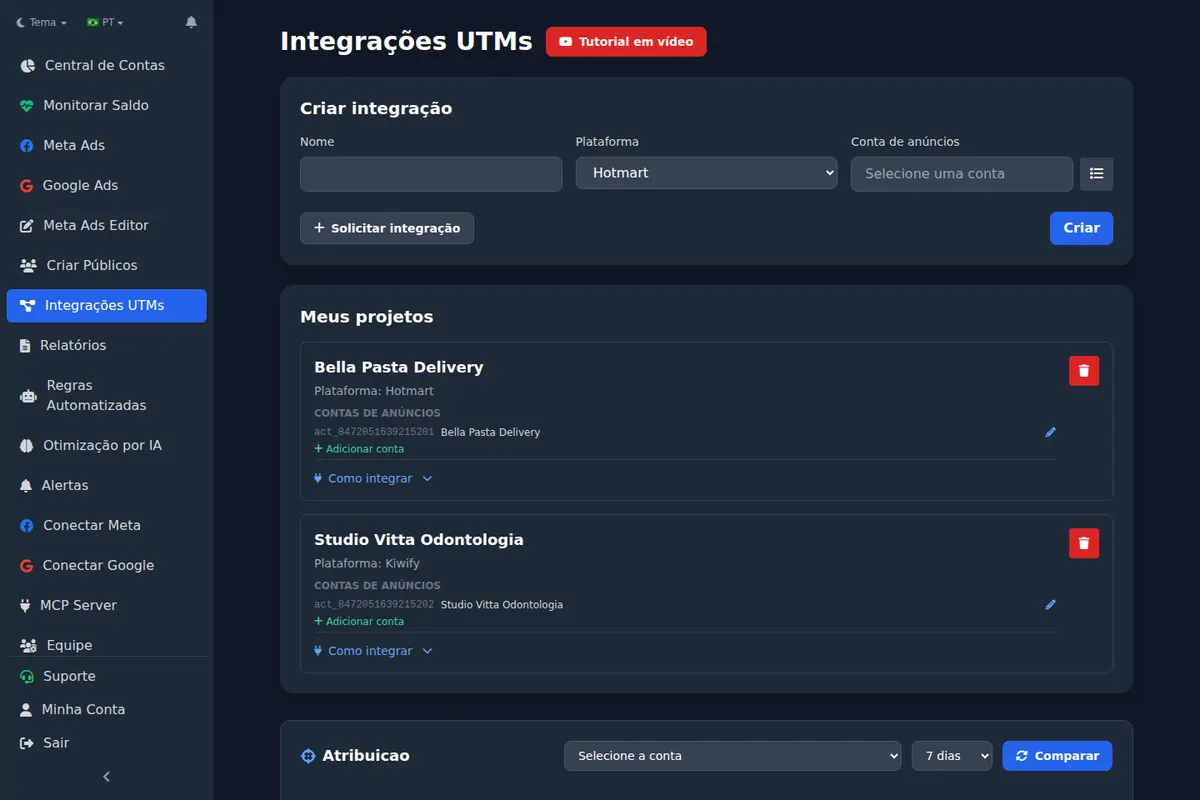
Create one project per network in Ads Editor's UTM Integrations, linked to the same ad accounts. Each sale lands on the ad that produced it, so the same campaign shows ClickBank and Digistore24 revenue in the UTM Revenue column, and the Attribution section puts Meta's purchase count next to the sales that arrived with UTMs, converting euros and dollars to the ad account's currency.
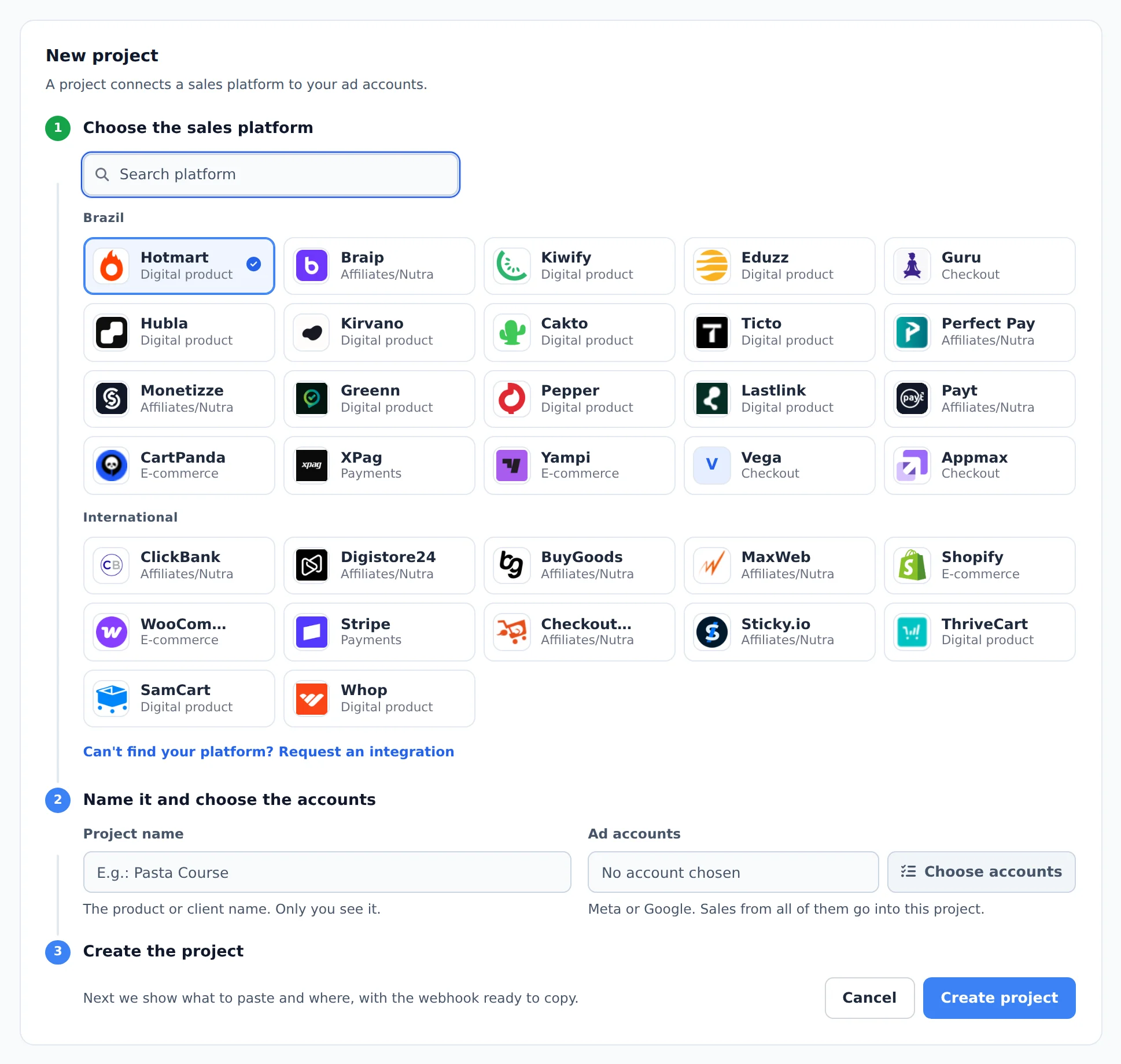
Step by step for each network: what is ClickBank, Digistore24 review and how to track ClickBank and Digistore24 sales from Facebook ads.
Step by step in Ads Editor
Help Center articles that walk through this task screen by screen:
Frequently asked questions
Is Digistore24 cheaper than ClickBank?
Its published starting fee is lower (2.9% + $1 vs 7.5% + $1), but Digistore24's rate varies by product and traffic, so compare your actual terms.
Can I promote the same product on both?
Only if the vendor lists it on both. Many vendors pick one platform per product.
Which one pays affiliates faster?
Digistore24's pricing page mentions weekly payouts; ClickBank does not state a schedule on its fees page. Check the payout settings in each account.
Glossary
- Reseller
- A platform that sells the vendor's product in its own name, collecting payment and tax and paying the parties.
- Refund rate
- Share of sales refunded after purchase; on direct response offers it decides whether a campaign is profitable.
- Click ID
- A unique value for each ad click that lets a sale be matched to that click.
References
- ClickBank Support: What are ClickBank's fees?. Supports: ClickBank fees: 7.5% + $1, Klarna 9.8% + $1.30, $49.95 activation, $5 per payment.
- Digistore24: Pricing. Supports: Digistore24 fees from 2.9% + $1, no setup or monthly fee, payout fees and weekly payouts.
- ClickBank Support: Affiliate tracking parameters. Supports: ClickBank hoplink tracking fields and allowed characters.
- RedTrack Help: Digistore24 integration. Supports: Digistore24 S2S postback setup and cid on the offer link.
The claim supported by each source is shown above.
About the author
Matheus Mello, founder of Ads Editor and owner of YEP Agência. Runs client ad accounts at YEP Agência and built Ads Editor so his own agency could stop publishing ads one at a time. Usage numbers quoted on the blog come from the product activity log. Instagram: @theusm