What is ClickBank? How it works, fees and how to run ads to its offers
By Matheus Mello, founder of Ads Editor and owner of YEP Agência · Published · 6 min read
What is ClickBank? It is a marketplace and payment processor where sellers list digital products and supplements, and affiliates promote them for a commission paid by ClickBank itself. This guide covers how the money flows, the fees ClickBank publishes and how to run paid traffic to an offer without losing track of which ad made each sale.
Connect my sales platformQuick answer
ClickBank is an affiliate marketplace and retailer: it processes the payment, keeps 7.5% plus $1 per sale and splits the rest between seller and affiliate. To run ads profitably, send traffic with tracking parameters on the hoplink, receive each sale back by postback or INS, and judge ads by approved sales, not pixel purchases.
Summary
- ClickBank acts as the retailer: it charges the buyer and pays seller and affiliate.
- Published fees: 7.5% plus $1 per sale, a one-time $49.95 activation for sellers and $5 per payment issued.
- Since June 2024 hoplinks accept named tracking fields (campaign, adgroup, ad, aff_sub1 to aff_sub5) besides the classic tid.
- Sales come back to you by Postback/Pixels (affiliates and sellers) or by INS (seller settings).
- Ads Editor receives ClickBank sales natively and shows them on the campaign, ad set and ad.
In this article · 6 sections
How does ClickBank work?
ClickBank sits between three parties. The seller (product owner) lists an offer and sets the commission. The affiliate generates a tracking link for that offer, called a hoplink, and sends traffic to it. The buyer pays ClickBank, not the seller. ClickBank then takes its fee and splits the remaining money between seller and affiliate under a revenue share or CPA commission, paying the affiliate directly out of each transaction.
Because ClickBank is the merchant of record, the affiliate never depends on the seller to get paid, which is one reason it became a default starting point for media buyers in digital products and supplements (the market calls them nutra offers).
What fees does ClickBank charge?
| Fee | Amount published by ClickBank | Who pays |
|---|---|---|
| Transaction fee | 7.5% + $1 per sale (9.8% + $1.30 on Klarna-eligible transactions) | Comes off the sale before the split |
| Subscription rebills under $40 | ClickBank keeps 9.9% of retail | Seller |
| Activation | $49.95 once, when the first product is approved | Seller |
| Payment processing | $5.00 per payment issued | Whoever receives the payment |
| Refund fee | $0.50 or $1 for most refunds, by price and return date | Seller; the refunded sale is also debited from seller and affiliate |
Affiliates do not pay to join. For a media buyer the number that matters is the commission per sale after refunds, because a refunded sale is debited from your payout even after the ad money is spent.
What is a hoplink and which tracking parameters does it accept?
The hoplink is the affiliate link: https://hop.clickbank.net/?affiliate=YOURNICK&vendor=SELLER. Historically you added a tid (tracking ID) to it. Since June 4, 2024 ClickBank also accepts named fields, which are better for paid traffic:
| Parameter | Limit | Use it for |
|---|---|---|
| traffic_source / traffic_type | 100 characters | facebook, social |
| campaign / adgroup | 100 characters | Campaign and ad set |
| ad / creative | 150 characters | Ad |
| aff_sub1 to aff_sub5 | 100 characters each | Any extra dimension, such as the compact ad code |
| extclid / fbclid | 256 characters | A tracker click ID or Meta's click ID |
ClickBank accepts letters, digits, spaces, underscores, hyphens and plus signs in these values; characters like { } | [ ] are not stored, and values over the limit are truncated. That matters on Meta: a name-plus-ID UTM with a pipe would be dropped, so send IDs only to ClickBank fields.
How do you run Facebook ads to a ClickBank offer?
- Pick the offer by refund-adjusted earnings, not by gravity alone. Read the seller's affiliate page for allowed traffic sources and creatives.
- Decide between a bridge page and direct linking. Most media buyers send the click to their own page (a presell or advertorial) and from there to the hoplink. It lets you install a pixel and a tracking script, which a hoplink alone does not.
- Write compliant copy. Meta's advertising standards forbid asserting or implying personal attributes, including health conditions: "New diabetes treatment available" is allowed, "Do you have diabetes?" is not. Health offers get rejected for this more than for anything else.
- Put UTMs on every ad with Meta's dynamic fields, and carry the ad IDs into a ClickBank field on the hoplink.
- Receive each sale back by postback or INS, so the sale lands on the ad that produced it.
How do you know which ad made each ClickBank sale?
ClickBank reports sales by tracking value, but it does not know your Meta campaign structure. The link between the two is the value you passed on the hoplink. The full setup, including the postback URL and the INS route, is in how to track ClickBank and Digistore24 sales from Facebook ads. In short:
- Ads: URL parameters with dynamic IDs, for example
utm_source=FB&utm_campaign={{campaign.name}}|{{campaign.id}}&utm_medium={{adset.name}}|{{adset.id}}&utm_content={{ad.name}}|{{ad.id}}&utm_term={{placement}}. - Bridge page: a script that keeps the click data and writes it into the hoplink. Ads Editor's script writes the compact code
fbx<campaign>x<ad set>x<ad>intotidon hoplinks andvtidon seller payment links. - Return: ClickBank's Postback/Pixels (Integrations, Postback/Pixels, Add Integration) or the seller's Instant Notification URL, version 8.0.
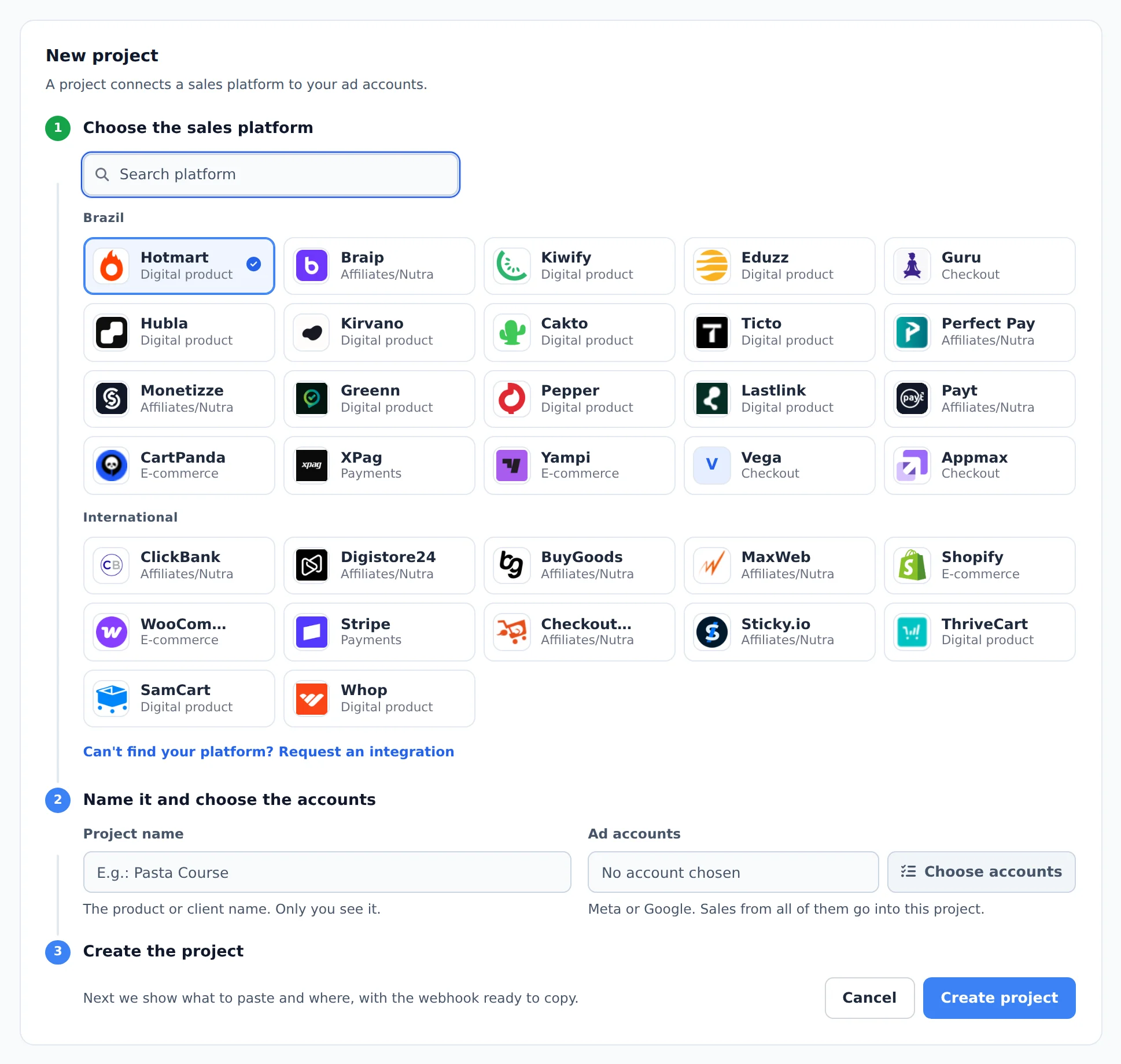
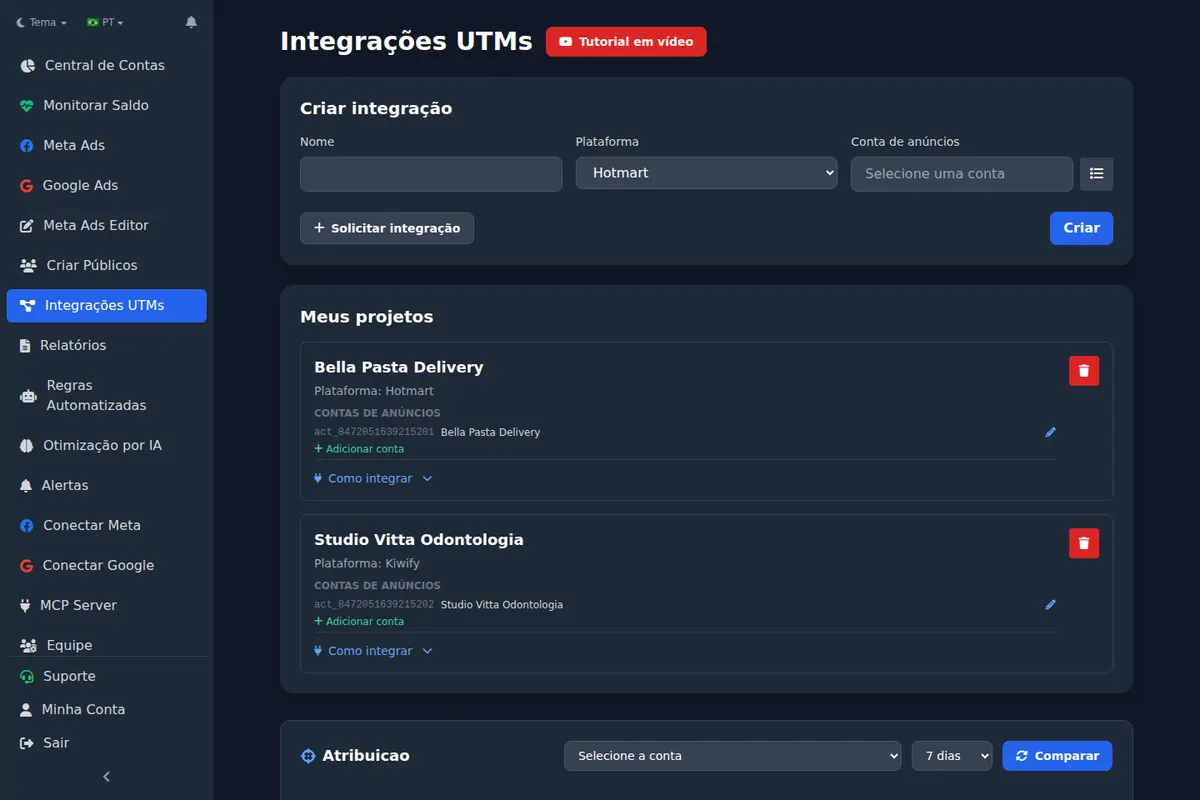
In Ads Editor, choose ClickBank in UTM Integrations, link the ad accounts and paste the project URL in ClickBank. Sellers paste it in Vendor Settings, My Site, Advanced Tools, Instant Notification URL (version 8.0) and save the same Secret Key in the project, because INS notifications arrive encrypted. Each approved sale then shows up in the UTM Purchases and UTM Revenue columns of the campaign, ad set and ad, and a refund or chargeback reported by INS takes it out. The Postback/Pixels integration reports purchases only.
ClickBank vs other platforms: when to choose something else?
ClickBank is broad: info products, software and supplements in one marketplace. If your offers are mostly European or you sell as a vendor in euros, look at ClickBank vs Digistore24. For supplement CPA offers, see BuyGoods vs MaxWeb. The full comparison is in best affiliate networks for digital products and nutra offers.
Step by step in Ads Editor
Help Center articles that walk through this task screen by screen:
Frequently asked questions
Is ClickBank legit?
Yes. ClickBank is a retailer that processes payments and pays affiliates directly from each sale; the risk for a media buyer is refunds and ad rejections, not getting paid.
How much does ClickBank take per sale?
7.5% plus $1 per sale, or 9.8% plus $1.30 on Klarna-eligible transactions, according to ClickBank's support center on 11/21/2026.
What is a tid on ClickBank?
The tracking ID you append to a hoplink to identify the traffic source; it comes back in reports and in the {tid} postback macro. Named fields such as campaign and aff_sub1 now complement it.
Can I run Facebook ads directly to a ClickBank hoplink?
You can, but a bridge page lets you install a pixel and a tracking script, and gives you control over the copy Meta reviews.
Glossary
- Hoplink
- ClickBank's affiliate link, which records the affiliate and tracking values before sending the visitor to the seller's page.
- Postback
- A server-to-server call that a platform makes to your URL when a sale happens, with the sale data in the query string.
- INS
- Instant Notification Service, ClickBank's encrypted sale notification configured in the seller settings.
References
- ClickBank Support: What are ClickBank's fees?. Supports: Transaction fee 7.5% + $1 (Klarna 9.8% + $1.30), rebills under $40, $49.95 activation, $5 per payment, refund fee of $0.50 or $1.
- ClickBank: How ClickBank works. Supports: ClickBank takes 7.5% + $1, splits the rest between seller and affiliate by RevShare or CPA and pays affiliates directly.
- ClickBank Support: Affiliate tracking parameters. Supports: Named affiliate tracking parameters launched June 4, 2024, their character limits and allowed characters.
- ClickBank Support: Postback/Pixels integration guide. Supports: Postback/Pixels menu path, events, affiliate and seller macros such as {tid} and {aff_sub1}.
- ClickBank Support: Instant Notification Service (INS). Supports: INS setup in Vendor Settings, My Site, Advanced Tools; version 8.0; Secret Key.
- Meta Advertising Standards: privacy violations and personal attributes. Supports: Ads cannot assert or imply health conditions; example of allowed and disallowed diabetes copy.
The claim supported by each source is shown above.
About the author
Matheus Mello, founder of Ads Editor and owner of YEP Agência. Runs client ad accounts at YEP Agência and built Ads Editor so his own agency could stop publishing ads one at a time. Usage numbers quoted on the blog come from the product activity log. Instagram: @theusm