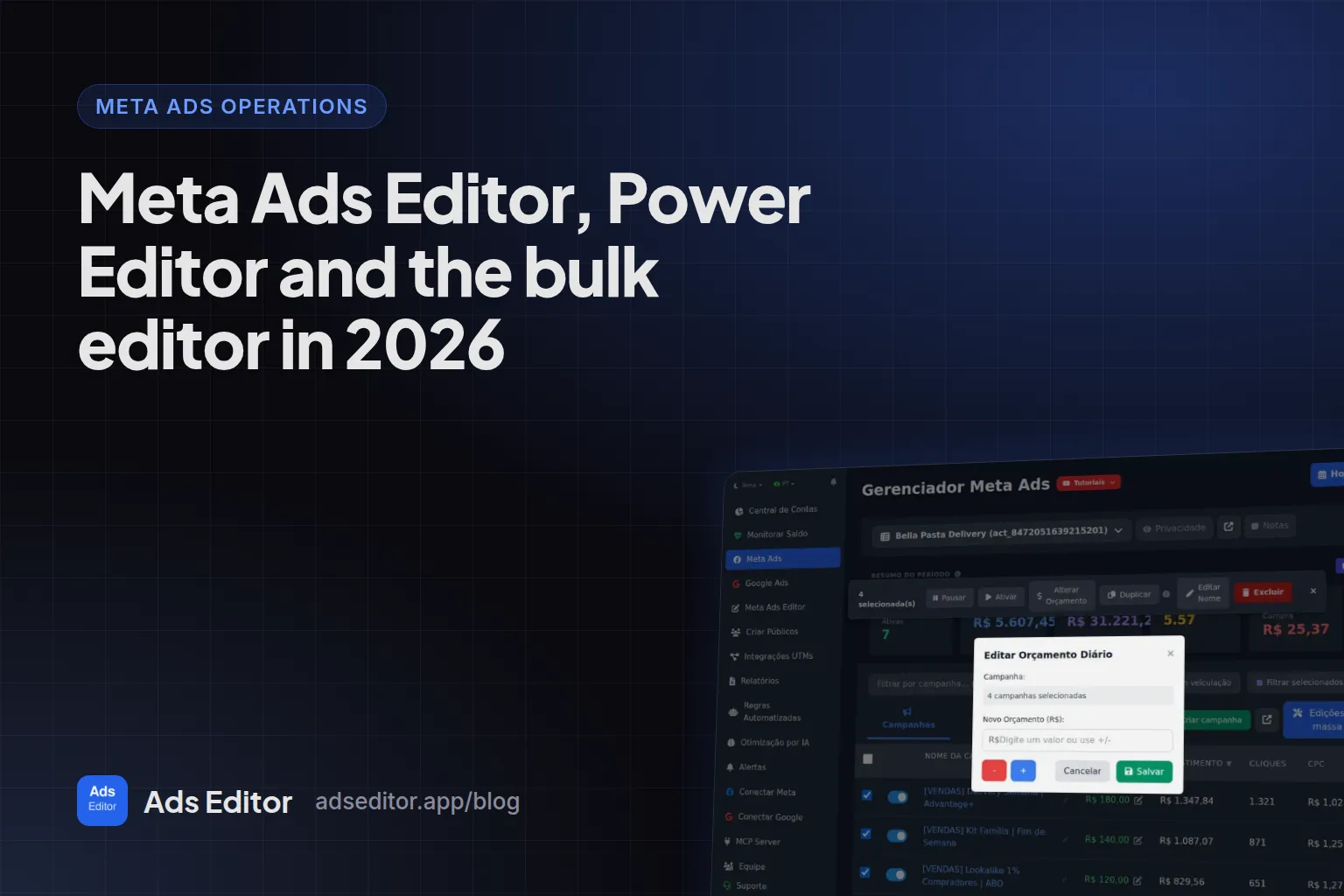
Meta Ads Editor, Power Editor and the bulk editor in 2026
By Matheus Mello, founder of Ads Editor and owner of YEP Agência · Published · 8 min read
Meta Ads Editor is what many advertisers type when they want the old Power Editor back, a way to edit many ads at once, or a desktop app like Google Ads Editor for Facebook. Meta has no product by that name today; here is what exists, what bulk editing really does to your ads, and where Ads Editor fits.
Quick answer
Meta Ads Editor is the Ads Editor feature (an independent platform at adseditor.app) that publishes and edits Meta ads in bulk across many ad accounts, in the browser, with nothing to download. Meta itself has no editor by that name: Power Editor was merged into Ads Manager in 2017 and 2018, and native bulk editing is item selection plus spreadsheets.
Summary
- Power Editor was folded into Ads Manager: announced September 14, 2017, rolled out to all advertisers in 2018.
- Meta's bulk editor today is multi-select editing plus spreadsheet import and export, one account at a time.
- Editing copy or URL creates a new creative behind the same ad; review a sample after any bulk text change.
- A single large budget jump is what restarts learning; edit budgets in bulk with care.
- Google Ads Editor does not open Meta accounts, despite the similar name.
Is there an official Meta Ads Editor?
Not from Meta. Meta has Ads Manager, in the browser and in the mobile app, and that is where its bulk editing features live. Meta Ads Editor, with that exact name, is the Ads Editor feature that publishes and edits ads in bulk across several accounts. People searching for meta ads editor usually want one of three things: the Power Editor that used to exist, a way to edit many ads at once, or Google Ads Editor, assuming it also works for Meta.
What happened to Facebook Power Editor?
Power Editor was Facebook's advanced tool for creating and editing ads in volume, separate from Ads Manager. On September 14, 2017, Facebook announced that the two would become one tool called Ads Manager, and that Power Editor users would not notice changes beyond the name. Power Editor's automatic drafts moved into Ads Manager. By March 2018 the merge had reached all advertisers, according to Econsultancy.
Any tutorial that tells you to open Power Editor is outdated
Many pages that still rank for power editor were written before 2018 and describe a tool that no longer exists. The functions survived with a different name and in a different place: inside Ads Manager.
What does Meta offer today to edit ads in bulk?
| Feature | What it does | Practical limit |
|---|---|---|
| Multi-select editing | Select several campaigns, ad sets or ads and change shared fields | One account at a time |
| Duplicate | Copies a campaign, ad set or ad inside the account | For another account, the native path is export and import |
| Export | Downloads the setup of selected items to a spreadsheet | The source Page, pixel and audiences come along and must be swapped by hand |
| Import ads in bulk | Creates or updates items from Meta's .xlsx template | Renamed columns are ignored; the sheet must follow the template |
| Meta Ads Manager app | Creates, edits and tracks ads on your phone | Good for checking and pausing away from the desk, not for building batches |
The spreadsheet shines for a large structure built once. It gets heavy when the work is weekly: every new creative pack is another round of fill, upload and fix, and every destination account needs identity swapped by hand. The alternative is in how to bulk upload Facebook ads.
What can you change in a bulk edit?
| Level | Fields |
|---|---|
| Campaign | Name, status, budget (including where it lives: campaign budget or ad set budget) |
| Ad set | Name, age, gender, placements, locations, audiences, Advantage+ audience, devices |
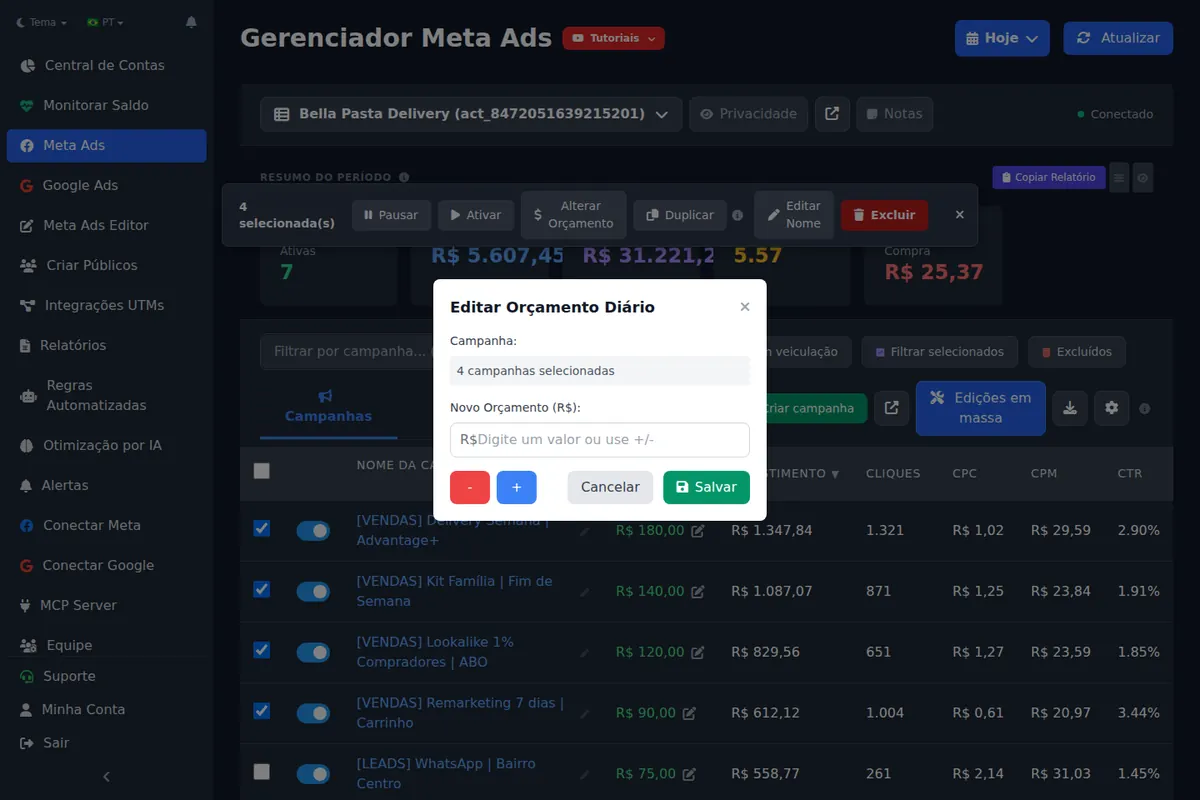
| Ad | Primary text, headline, URL, URL parameters, call to action, WhatsApp, lead form, Page and Instagram account |
Why does editing copy create a different ad under the hood?
At Meta, an ad creative is immutable. Changing the text, headline or URL of an ad means creating a new creative and attaching it to the ad. Renaming does not. In practice, a bulk text edit is a heavier operation than it looks: the ad keeps its accumulated metrics, but future delivery runs on a new creative. Check a sample before calling it done.
Does a bulk budget edit reset the learning phase?
It can. A single large jump, such as doubling the budget, is a significant edit. In our operation, steps of up to 35% do not reset learning, even when repeated in sequence. In bulk, the risk multiplies because you can push several ad sets back into learning at the same time. If the goal is to scale, read how to scale Facebook ads first.
How do you standardize names with find and replace?
Fixing naming in an inherited account takes hours natively. With find and replace, you swap a fragment across every selected name at once, for example changing [TEST] to [SCALE] on the ad sets that won.
Careful with device targeting in bulk
Meta accepts an ad set with Android as the operating system and iPhone as the device at the same time, without an error, and the ad set simply stops delivering. Ads Editor checks that combination before saving, but review any device targeting you apply in bulk.
Can you download Meta Ads Editor?
No, and you do not need to. Meta Ads Editor runs in the browser: you sign in to Ads Editor, connect your accounts and the bulk publishing screen is there, with nothing to install. What Meta offers for download is the free Meta Ads Manager app for phones, which creates, edits and reports on ads across Facebook, Instagram, Messenger and WhatsApp. Be suspicious of any site offering a Meta Ads Editor or Power Editor download.
Does Google Ads Editor work for Meta ads?
No. Google Ads Editor is a free, downloadable Google app that manages Google Ads campaigns and lets you work offline. It does not open Meta accounts. The naming confusion with Ads Editor is cleared up in Ads Editor vs Google Ads Editor.
Where does Ads Editor fit?
Ads Editor is an independent platform: it is not from Meta, not from Google and not the old Power Editor. It uses the official APIs of both platforms with OAuth login and covers what Ads Manager does worst, which is repeated work across accounts.
| Task | Meta Ads Manager | Ads Editor |
|---|---|---|
| Edit several selected items | Yes, in one account | Yes, plus find and replace and bulk copies |
| Publish many creatives into many campaigns and accounts | Spreadsheet import | Queue: drag creatives, write copy once |
| Move a campaign to another account | Export, import and fix by hand | One action, swapping Page, Instagram, pixel and WhatsApp |
| Meta and Google in one place | No | Yes |
| Price | Free | Plans from R$ 97/month, billed in BRL, with a 7 day trial |
Measured: Ads Editor activity log, June 25 to September 23, 2026
36 user accounts published 11,051 ads through the queue, in 1,927 batches and 214 ad accounts. The median batch had 2 unique creatives and the largest had 43.
When is the native tool enough?
- One or two accounts and a few creatives a week: Ads Manager handles it.
- A one-off change across many ads in the same account: multi-select editing handles it.
- A large structure built once: the spreadsheet handles it, if you accept the template.
- Work that repeats across accounts every week: that is where an operations tool pays for itself. The full comparison is in Ads Editor vs Meta Ads Manager, and the method for deciding is in how to manage multiple Facebook ad accounts.
Frequently asked questions
Does Facebook Power Editor still exist?
No. It was merged into Ads Manager: the merge was announced in September 2017 and applied to all advertisers in 2018.
Can I download Meta Ads Editor?
There is nothing to download. Meta Ads Editor is an Ads Editor feature that runs in the browser. From Meta, the downloadable app is the free Meta Ads Manager for phones.
What is Meta's bulk editor?
It is spreadsheet import and export inside Ads Manager, plus editing several selected items in the same account.
Does changing the URL of many ads lose their history?
The ad stays the same, with its accumulated metrics, but starts using a new creative. Future performance can shift.
Is Ads Editor made by Meta?
No. Ads Editor is an independent platform that runs Meta Ads and Google Ads through the official APIs of both.
Glossary
- Power Editor
- Facebook's former bulk ad tool, merged into Ads Manager between 2017 and 2018.
- Bulk editor
- Editing many campaigns, ad sets or ads in one action, natively by multi-select or spreadsheet.
- Ad creative
- The Meta object that holds an ad's media, text and link; it cannot be edited in place.
- Find and replace
- Swapping a text fragment across many selected names in one action.
References
- Facebook merges Ads Manager and Power Editor into a single tool (Social Media Today). Supports: On September 14, 2017 Facebook announced the merge; Power Editor users would notice no change beyond the name, and automatic drafts moved into the new Ads Manager.
- Facebook quietly rolls out new ad placements as Power Editor merges with Ads Manager (Econsultancy). Supports: Article of March 1, 2018: the Power Editor and Ads Manager merge, announced for all advertisers in 2018, had arrived.
- Meta Ads Manager on the App Store. Supports: Meta's free app to create, edit and get insights from ads across Facebook, Instagram, Messenger and WhatsApp.
- About Google Ads Editor (Google Ads Help). Supports: Google Ads Editor is a free, downloadable application for managing Google Ads campaigns, and you can keep working offline.
Links opened and checked when the article was last updated.
About the author
Matheus Mello, founder of Ads Editor and owner of YEP Agência. Runs client ad accounts at YEP Agência and built Ads Editor so his own agency could stop publishing ads one at a time. Usage numbers quoted on the blog come from the product activity log. Instagram: @theusm