Copy a Facebook ad to another ad account and keep the likes and comments
By Matheus Mello, founder of Ads Editor and owner of YEP Agência · Published · 7 min read
To copy a Facebook ad to another ad account and keep its likes and comments, the new ad has to run the same post, not a copy of the image or video. Engagement belongs to the post. If the destination account can advertise with that post's Page or Instagram account, the social proof comes along; if it cannot, the count starts at zero.
Copy my first campaignQuick answer
Likes and comments belong to the post, so they only carry over when the ad in the other account uses that same post. In Ads Manager, pick Use existing post and enter the post ID. It works only if the destination account can use the post's Page or Instagram account. A different Page starts from zero.
Summary
- Engagement is stored on the post. A new ad built from the same image or video creates a new post with zero likes.
- The native route is Use existing post with the post ID, in the destination account.
- It only works when the destination ad account can advertise with the Page or Instagram account that owns the post.
- Learning and delivery history never travel, even when the likes do.
- Ads Editor reuses the original post when it copies a campaign, tests it in the destination first and flags any ad it cannot copy.
In this article · 5 sections
Why don't likes and comments follow a copied ad?
Every Facebook or Instagram ad runs on a post. When you build an ad from an uploaded image or video, Meta creates a new post for it (an unpublished, ad only post). Likes, comments and shares are counted on that post, not on the ad. Copy the ad by rebuilding it from the same file and you get a new post, with a new counter starting at zero.
The only way to keep the social proof is to point the new ad at the same post. Meta's Marketing API calls this object_story_id for a Page post and source_instagram_media_id for an Instagram post. In Ads Manager it is the Use existing post option.
When does the social proof survive the copy?
| Situation | What the copy can use | Likes and comments |
|---|---|---|
| Same Page, and the destination account can advertise with it | The same post, by post ID | Kept. New engagement adds to the same counter |
| Different Page (another client, another brand) | Not the original post: it belongs to a Page the account cannot use | Start at zero |
| Instagram post | The same Instagram post, if the destination ad account is allowed to use that Instagram account | Kept on the Instagram post |
| Ad rebuilt from the image or video file | A new post created for the new ad | Start at zero, even with the same Page |
How do you keep the likes in Ads Manager? The post ID method
- Find the post. In the source account, open the ad preview and use the option to view the Facebook post with comments (or the Instagram post). Menu names change often; what matters is reaching the post itself.
- Copy the post ID. It is the long number in the post's address. For a Page post, Meta also accepts the
PageID_PostIDformat. - Switch to the destination account. Open the campaign and the ad set that will run the ad.
- Choose Use existing post at ad level, instead of creating a new ad.
- Select the same Page as the identity, then pick the post or enter the post ID.
- Review and publish. Text, headline and media come from the post and cannot be edited in the ad. If Meta refuses the post, the destination account has no access to that Page or Instagram account.
The account needs permission to use the Page
The Page has to be available to the destination ad account, usually by being in the same business portfolio or shared with it. For an Instagram post, the ad account must be assigned to that Instagram account, or Meta returns error #1815199.
How does Ads Editor keep the original post when it copies?
When Ads Editor copies a campaign, ad set or ad, an ad built from an existing post is recreated pointing to the same post: the Page post ID for Facebook posts, the Instagram media ID for Instagram posts.
Between accounts, it tests the post in the destination account before creating the ad. If Meta refuses it, that ad is marked as not copyable, with Meta's reason on screen, and the rest of the campaign is copied anyway. The ad does not disappear silently.
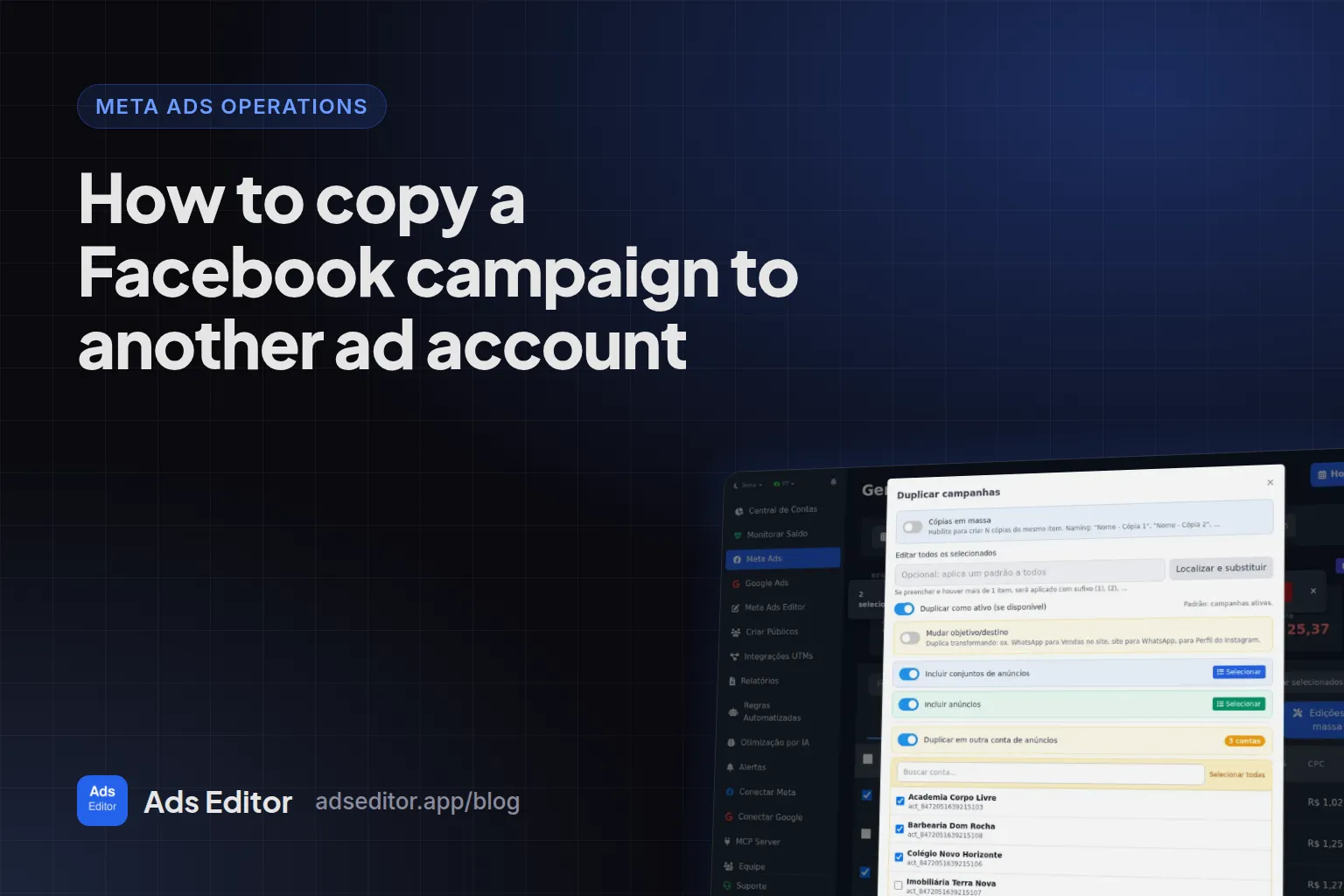
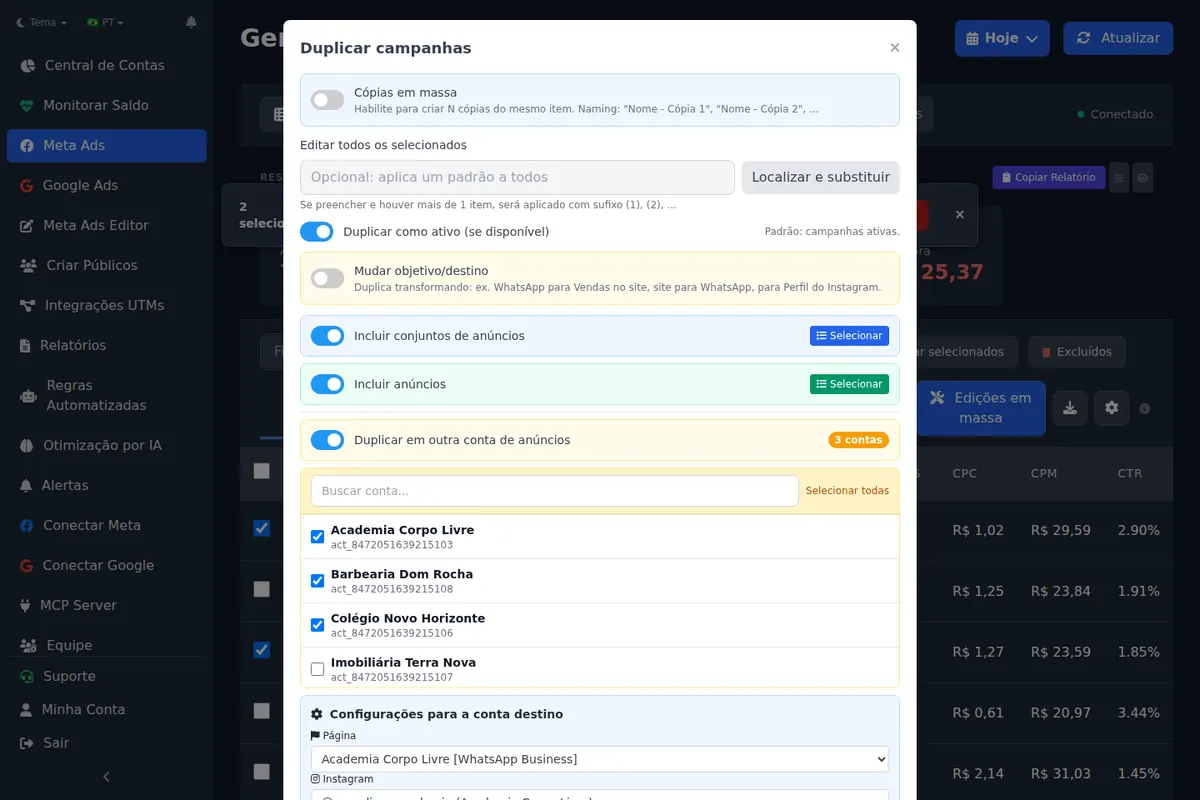
- In Meta Ads, click Bulk Edit, check the campaign and click Duplicate.
- Turn on Duplicate to another ad account and check one or more destination accounts.
- Under Settings for the destination account, choose Keep the same as the source for Page and Instagram. It keeps the originals when the destination account has access to them.
- Confirm and follow the card in the corner of the screen until Completed.
- Open the copied ad in the destination account and check that it shows the original post with its comments.
Two details from the same flow: a partnership ad is copied as a partnership, with the same partner and the same post, and any change to text or headline is ignored with a warning, because that text lives on the post. The full cross-account copy, with Page, pixel and audiences, is in how to copy a Facebook campaign to another ad account.
What goes wrong when you copy an ad with its post?
| Symptom | Likely cause | Fix |
|---|---|---|
| The post does not show up in Use existing post | The destination account cannot use that Page | Share the Page with the destination account's business or pick a Page it owns |
| #1815199: the ad account does not have access to this Instagram account | The Instagram account is not assigned to the destination ad account | Assign the ad account to the Instagram account in the business portfolio |
| #2142071: the Pages don't match the promoted object | The ad set promotes one Page and the post belongs to another | Use the post's Page in the ad set, or a post from the ad set's Page |
| The ad was copied but has zero likes | It was rebuilt from the media file, not from the post | Recreate it with Use existing post |
The codes above, and the others Meta returns when an ad is rejected, are explained in Meta Ads error codes.
Frequently asked questions
Does the learning phase come along with the likes?
No. Likes and comments stay on the post, but delivery history and learning belong to the ad set. The copy starts a new learning phase even when it runs the same post.
What if the destination account is in another Business Manager?
It works as long as the destination ad account can advertise with the post's Page or Instagram account. That usually means sharing the Page with the other business or getting partner access.
Does it work with an Instagram post?
Yes. The ad points to the same Instagram post, and the destination ad account must be assigned to that Instagram account. Without that, Meta returns error #1815199.
What about catalog ads?
Catalog ads are built from the product feed, not from one published post, so there is no post ID to reuse. Plan for social proof to start fresh in the new account.
What happens if I switch to a different Page?
The original post cannot be used, because it belongs to the old Page. The ad becomes a new post under the new Page, and likes and comments start at zero.
Glossary
- Existing post
- A Page or Instagram post used as the ad itself, so the ad shares its likes, comments and shares.
- Post ID
- The number that identifies a Facebook or Instagram post. Ads Manager accepts it in Use existing post.
- Unpublished post
- The post Meta creates for an ad built from uploaded media. It only appears as an ad and starts with zero engagement.
- Social proof
- Visible likes, comments and shares that make an ad look trusted to the next person who sees it.
References
- Ad Creative reference (Meta for Developers), checked November 23, 2026. Supports: object_story_id is the ID of a Facebook Page post to use in an ad, source_instagram_media_id is the ID of an Instagram post for creating ads, and ads can be created from an existing Page post.
- Set Up Instagram Accounts On Business Manager (Meta for Developers), checked November 23, 2026. Supports: An ad account must be assigned to the Instagram account to advertise with it, and an ad account of one business cannot be assigned to another business's Instagram account.
- Ads Editor Help Center: duplicate a campaign to another account. Supports: Duplicate to another ad account with one or more destinations, Settings for the destination account and Keep the same as the source for Page and Instagram.
The claim supported by each source is shown above.
About the author
Matheus Mello, founder of Ads Editor and owner of YEP Agência. Runs client ad accounts at YEP Agência and built Ads Editor so his own agency could stop publishing ads one at a time. Usage numbers quoted on the blog come from the product activity log. Instagram: @theusm