Error #1885878: "Invalid asset count in dynamic creative target rule" in Meta Ads
By Matheus Mello, founder of Ads Editor and owner of YEP Agência · Published · 5 min read
Error #1885878 shows up in ads with media customized by placement, when the ad carries more assets of one type than the rule accepts. In practice, it is almost always too many descriptions. Below is the full message, what a customization rule is in plain media buyer terms, and how to fix it without rebuilding the ad.
Try bulk publishingQuick answer
Error #1885878 shows up in ads with media customized by placement when the ad has more than one description. In that format Meta accepts a single link description, because the description does not change by placement. Delete the extra descriptions and publish again. To test several descriptions, drop placement customization and use the flexible format.
Summary
- The message is "Invalid asset count in dynamic creative target rule: multiple descriptions assets can not be applied to rule #1 (priority number if specified, or the index of the rule) in the ad asset feed. (#1885878)"
- A target rule is the instruction that says which media shows in which placements, such as Feed or Stories.
- Meta's documentation says to provide only one link description in this format, because it cannot be customized by placement.
- The fix is leaving a single description. To test several, use the flexible format without placement customization.
- Every placement customized ad needs at least two rules.
In this article · 5 sections

Error #1885878: the full message
In an English account the message reads: "Invalid asset count in dynamic creative target rule: multiple descriptions assets can not be applied to rule #1 (priority number if specified, or the index of the rule) in the ad asset feed. (#1885878)". Some accounts show "multiple descriptions assets cannot be applied to rule no. 1" instead of the middle part. In a Portuguese account: "Contagem de ativos inválida na regra de direcionamento (target rule) de criativo dinâmico: vários ativos descriptions não podem ser aplicados à regra nº 1 (número de prioridade, se especificado, ou o índice da regra) no feed de ativos do anúncio. (#1885878)".
Read it in three parts: descriptions is the asset type over the limit, rule #1 is the rule where it happened, and dynamic creative is Meta's internal name for an ad that assembles combinations of media and text. If the message names another asset type or rule, the logic is the same: that rule received more assets of that type than it accepts.
What a target rule is, in media buyer terms
When you use one piece of media in the Feed and another in Stories and Reels inside the same ad, Meta stores it as a set of rules. Each rule says: "in these placements, show this media." One rule covers the Feed, another covers Stories and Reels. Meta calls this placement asset customization, and each rule is a target rule.
The problem is the text. The media changes per rule, but the link description does not: there is one for the whole ad. If the ad carries two or three descriptions, Meta tries to apply all of them to the first rule and rejects it.
How many assets fit in each rule?
| Asset | Varies by placement? | How many to use |
|---|---|---|
| Image or video | Yes: each rule points to its media by label (image_label or video_label) | One media file per rule |
| Link description | No: the documentation says it cannot be customized per placement | One for the whole ad |
| Headline and primary text | The documentation checked gives no numeric limit per rule | If the message names titles or bodies, keep one of that type |
| Rules | Each rule lists the placements it covers | At least two per ad |
Sibling error: fewer than two rules
Meta's documentation requires more than one rule in every placement customized ad. With a single rule, the rejection is different: "Insufficient number of target rules: placement customized ads require at least 2 target rules. This ad has 1 target rules. (#2446428)". Building both versions step by step is in different creative for Feed and Stories in the same ad.
How to fix error #1885878
- Open the rejected ad in Ads Manager.
- In the text section, count how many descriptions are filled in.
- Keep one description and delete the others.
- If the message names another asset type, reduce that type to one.
- Publish again.
If you really need to test several descriptions, switch formats: turn off placement customization and use the flexible ad format, which accepts text variations. You lose the dedicated vertical media and gain the text test.
What about Ads Editor?
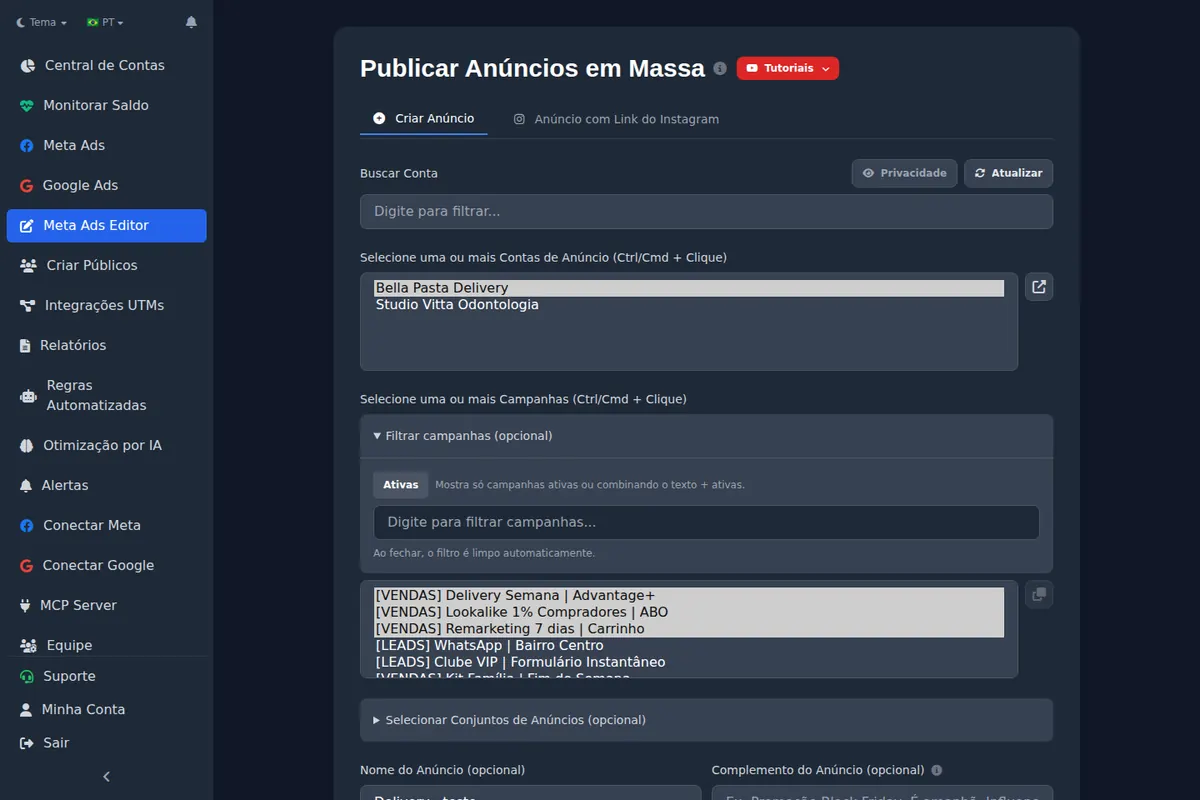
Ads Editor has no specific handling for #1885878 and does not fix this error on its own. It does what it does for any rejection: in the Meta Ads Editor upload panel, the ad shows the Error badge, Meta's message in plain language and the code. Fix the descriptions and click Retry on the row, or Reprocess all errors. Only the failed ads go back to the queue.
One detail about Customize by placement in the Meta Ads Editor: it does not work with text variations, and the ad goes out with a single text. That does not guarantee Meta will never return #1885878; if it does, the fix is in the creative, as above.
The other rejection codes, with a summary table, are in Meta Ads error codes.
Frequently asked questions
What does "multiple descriptions assets can not be applied to rule #1" mean?
The placement customized ad has more than one description. In that format Meta accepts a single link description, because it does not change by placement.
How do I fix error #1885878 in Meta Ads?
Open the ad, keep one description and publish again. To test several descriptions, turn off placement customization and use the flexible format.
What is a target rule in a Meta ad creative?
The instruction that says which media shows in which placements, such as one rule for the Feed and another for Stories and Reels. Every placement customized ad needs at least two.
Does Ads Editor prevent error #1885878?
There is no specific handling for this code. Ads Editor shows the message in plain language in the upload panel and lets you retry only the failed ads after the fix.
Glossary
- Target rule
- An instruction in the ad that ties a media file to a group of placements, such as Feed or Stories and Reels.
- Placement asset customization
- Meta's feature that shows different media depending on the placement within the same ad.
- Link description
- Short text shown below the headline in some placements. There is only one per ad in this format.
References
- Placement Asset Customization (Meta for Developers), checked November 23, 2026. Supports: Only one link description should be provided because it cannot be customized per placement; every asset_feed_spec needs more than one customization rule; image_label and video_label identify each rule's media.
- Marketing API error codes (Meta for Developers), checked October 31, 2026. Supports: Meta errors carry a code and a subcode and should be handled by code.
The claim supported by each source is shown above.
About the author
Matheus Mello, founder of Ads Editor and owner of YEP Agência. Runs client ad accounts at YEP Agência and built Ads Editor so his own agency could stop publishing ads one at a time. Usage numbers quoted on the blog come from the product activity log. Instagram: @theusm