Facebook ad account balance: monitor every account
By Matheus Mello, founder of Ads Editor and owner of YEP Agência · Published · 4 min read
Facebook ad account balance problems never announce themselves: a prepaid account runs dry or a card is declined, and delivery stops while everyone assumes the campaign is live. With one account you notice; with 20 client accounts, somebody finds out from the client.
Quick answer
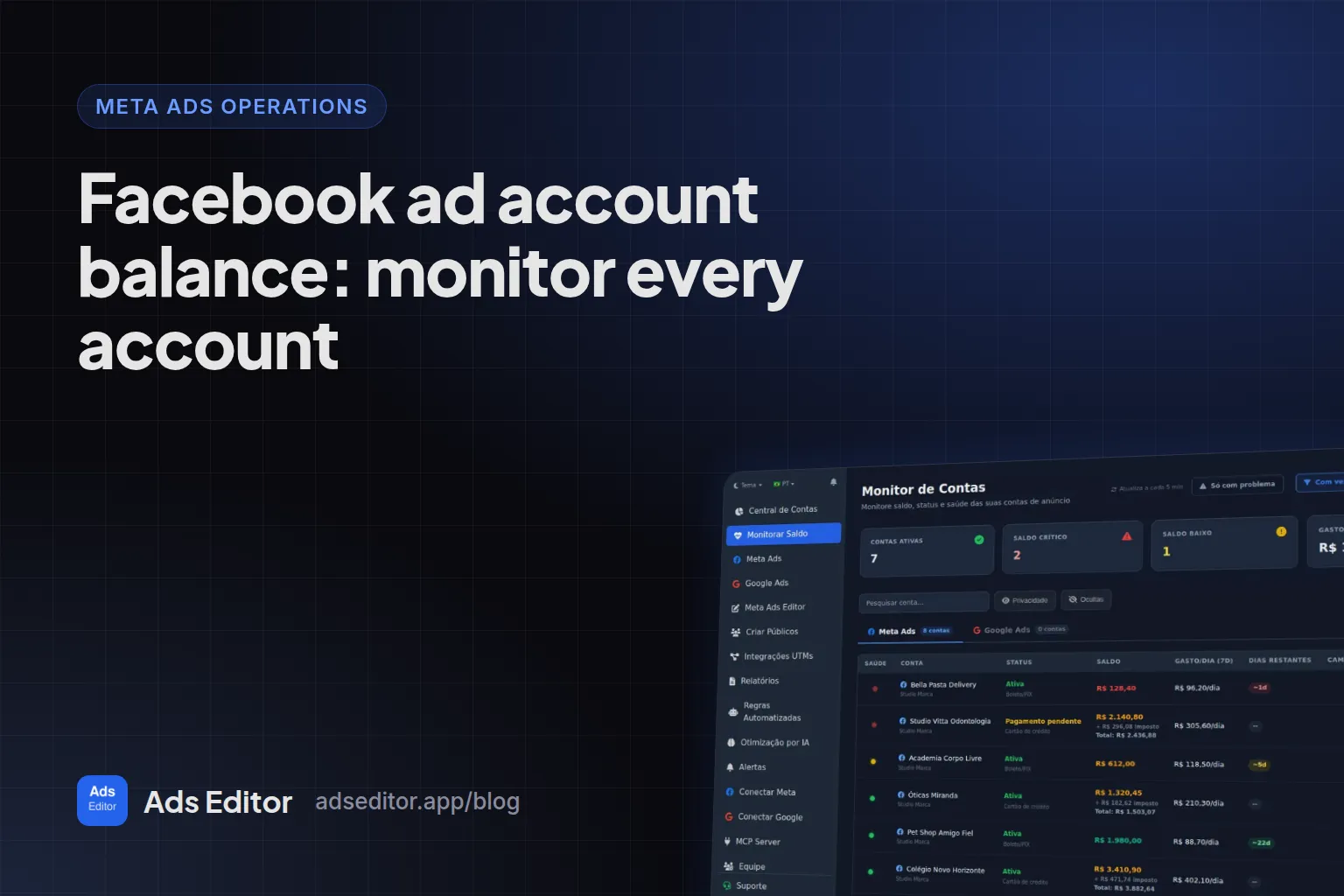
To monitor the balance of many ad accounts, use one screen that shows funds, average daily spend, days remaining and payment status for every Meta and Google account, filtered to only the ones with problems. Set a low balance alert, and warn the client before delivery stops instead of after.
Summary
- Watch five states: active, payment pending, disabled for failed payment, disabled for policy and grace period.
- Days remaining is funds divided by recent average daily spend; easy for one account, tedious for thirty.
- Balance tells you whether an account will stop; metric alerts tell you whether it is spending badly.
- Google Ads accounts show status, average daily spend and active campaigns in the same monitor.
Which ad account states do you need to watch?
| State | What it means | Action |
|---|---|---|
| Active | Normal delivery | None; keep an eye on days of funds left |
| Payment pending | A charge did not go through | Tell the client today |
| Disabled: failed payment | Account blocked for billing | Fix the payment method |
| Disabled: ad policy | Blocked for policy | Review the ads and request a review |
| Grace period | Time left before a block | Resolve before the deadline |
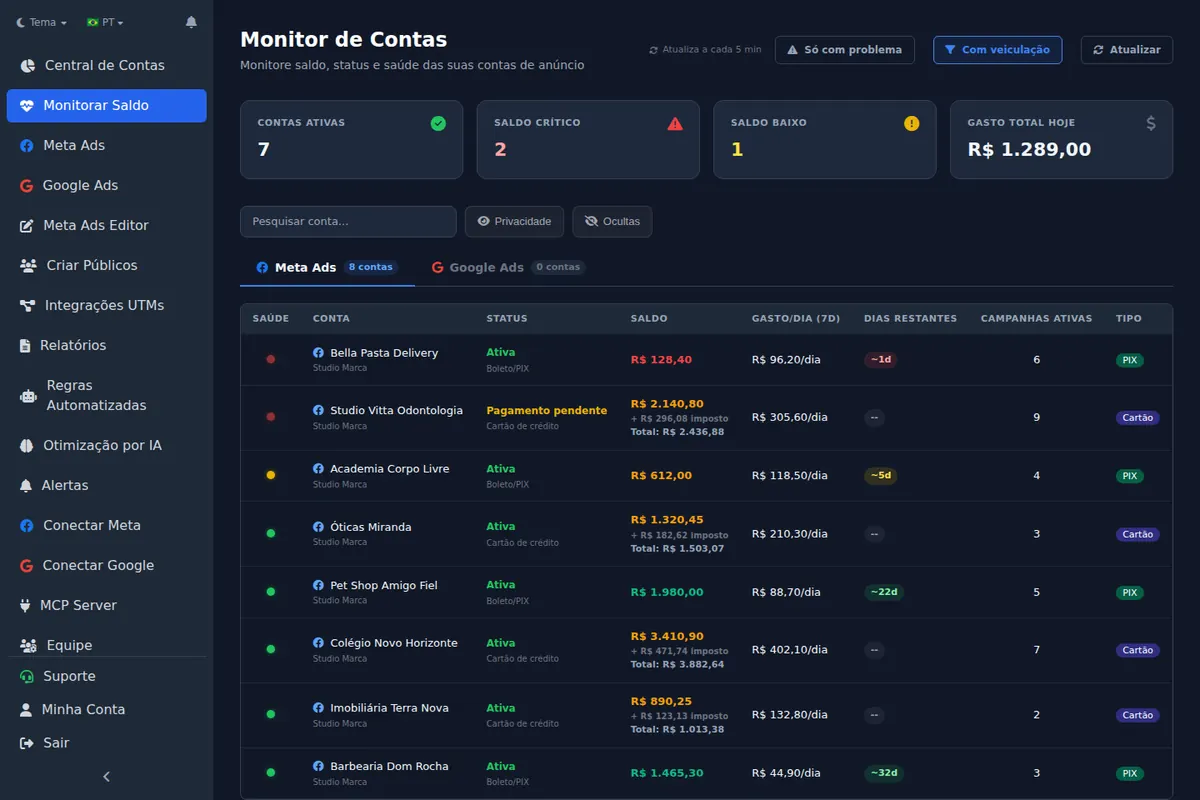
For Google Ads accounts, the monitor shows status (enabled, suspended, canceled or closed), average daily spend and active campaigns. Balance and days remaining are a concept of Meta accounts paid with prepaid funds.
How do you check a Facebook ad account balance natively?
In Ads Manager, open the billing and payments settings of each ad account. Accounts on manual payments show the remaining prepaid funds; accounts on automatic payments show the payment method, the billing threshold and recent charges. It is quick for one account and slow for thirty, because each check is another account switch.
How many days of funds does an account have left?
Days remaining is the balance divided by recent average daily spend. If an account has $600 of prepaid funds and spent an average of $150 a day over the last week, it has about 4 days left. The math is simple; doing it for 30 accounts every day is the hard part. The monitor shows it in a days remaining column and lets you filter to only the accounts with problems.
Illustrative scenario (not a real client)
A client on manual payments adds funds every Monday. After a creative starts working, spend rises from $80 to $150 a day, and the funds that used to last a week now run out on Thursday. A days remaining alert on Tuesday gives the client two days to top up; the old weekly habit would have cost Friday through Sunday.
What is the difference between a balance monitor and a metric alert?
Balance tells you whether the account is about to stop. A metric alert tells you whether the account is spending badly. You want both: metric alerts cover CPA, CPC, CPM, CTR, spend and ROAS, and they are part of the monitoring layer described in how to manage multiple Facebook ad accounts.
Critical balance, failed payment and low balance notifications land in the Ads Editor notification bell and, for people using the Ads Editor iPhone app, as push notifications.
Why does balance matter more when you scale?
When a campaign is scaling in steps during the day (see how to scale Facebook ads), daily spend can climb several times over in hours. An account with a comfortable week of funds at breakfast can be empty by the evening. Check days remaining after every scaling session, not once a week.
Frequently asked questions
How do I know if my Facebook ad account is out of funds?
In Ads Manager, by opening the payment settings of each account. For many accounts, an account monitor shows balance and days remaining for all of them on one screen.
Does the monitor work for Google Ads?
Yes. It lists Meta Ads and Google Ads accounts, with the status of each one.
Can I hide accounts from the monitor?
Yes. Accounts you do not care about, like old ones, can be hidden.
What should I do when a payment fails?
Tell the client the same day and fix the payment method before the grace period ends. A failed payment can leave the account disabled until billing is settled.
Glossary
- Prepaid funds
- Money added in advance to a Meta ad account on manual payments; ads stop when it runs out.
- Billing threshold
- The amount at which Meta charges the payment method on an account with automatic payments.
- Days remaining
- Balance divided by recent average daily spend.
- Grace period
- The window before an account with an unresolved issue is restricted.
References
- Ads Editor on the App Store. Supports: Official App Store listing of the Ads Editor app for iPhone and iPad, which delivers balance and payment notifications as push.
Links opened and checked when the article was last updated.
About the author
Matheus Mello, founder of Ads Editor and owner of YEP Agência. Runs client ad accounts at YEP Agência and built Ads Editor so his own agency could stop publishing ads one at a time. Usage numbers quoted on the blog come from the product activity log. Instagram: @theusm